Mouse is no longer on what is that?
Beautiful evening
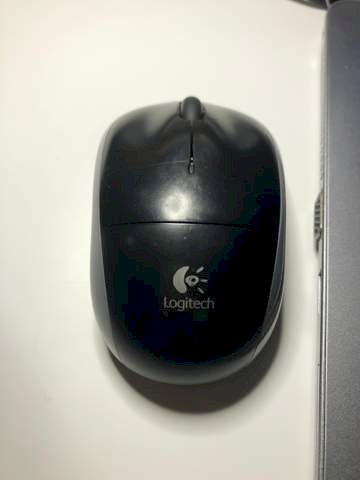
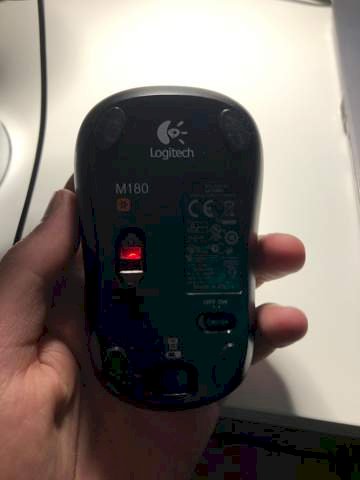
The mouse you see in the picture no longer works. Do I have to replace the battery somehow or do I have to charge it. Or if I want to connect it to another laptop, I have to connect it with a USB cable. I don't know me that way.
What does it mean, it doesn't go?
- Does the mouse pointer stop moving?
- Are the buttons no longer working?
- Is it still lit on the bottom of the housing?
And yes, the battery may need to be replaced.
It is connected via a small plug that is plugged into the USB port of the respective PC.
Do you see that it still shines red?
It still lights up, but the mouse pointer no longer moves
As I said, try changing the battery.
If that doesn't work, there's most likely a defect.
The nano receiver is connected, right?
Hi
Changing the battery would not be a bad thing
Since I can't find a battery compartment there, I would simply say that you have to charge it or the USB stick does not work in the compartment that it is in. If charging doesn't help, try another port
This is a wireless mouse with a nano receiver (Logitech Unified Receiver), which should be in the USB port of a computer. Yes, an AA battery needs to be replaced. Housing is probably postponed further down
(where the battery symbol is shown is below). But you have to find out, I don't know if there's also a push button under the battery symbol. Push and slide down?
In any case, the mouse has no charging function via a cable connection. So do not insert a battery, but a normal AA battery 1.5 volts.
The Logitech M150 has a battery compartment. This is on the top. Below is a small square button (in the lower area) with a battery symbol. When this is pressed, a flap opens at the top. There are 1-2 AAA batteries in it.
a USB dongle is required to operate the mouse. This is included with the mouse.
Change the battery and connect the dongle to the PC, the mouse is automatically connected to the dongle and should be able to be used with the PC.
I have the same or a very similar one.
The red light signals that the battery will need to be replaced soon.
With a battery life of more than six months, even with daily use of several hours, "soon" can easily mean one to two months.
But at some point it's over. Then two new AA cells have to be inserted.


