Laptop connected to monitor via hdmi, how do I get rid of the edge?
Pa
Parched43
- in Asus 3
Hello everybody,
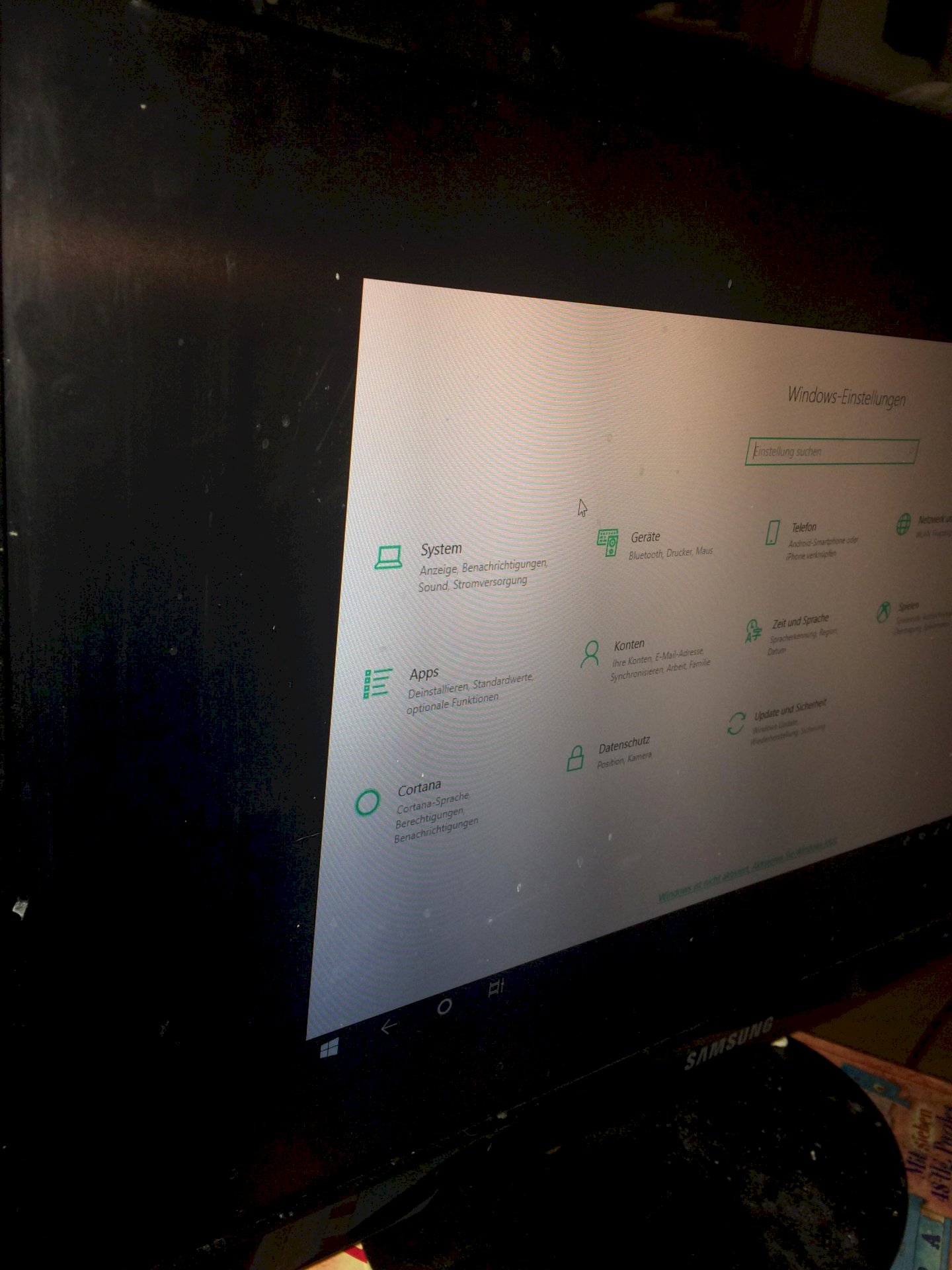
I try to connect my Asus laptop (windows 10) to my monitor via hdmi, the picture is transmitted but only in the middle of the screen. There's also a thick black border around it (see picture).
It must be because of the pc settings as I've already tried other cables and monitors / televisions.
How can I change it to use the whole screen of the monitor? Lg
se
secondLearned
You'll need to change the resolution of Monitor 2 on the laptop
Ac
Accountant920
I think there's a setting on your monitor that you have to adjust
Ju
Judo95
I agree. Pay attention to the correct resolution.


