Unstoppable autopilot?
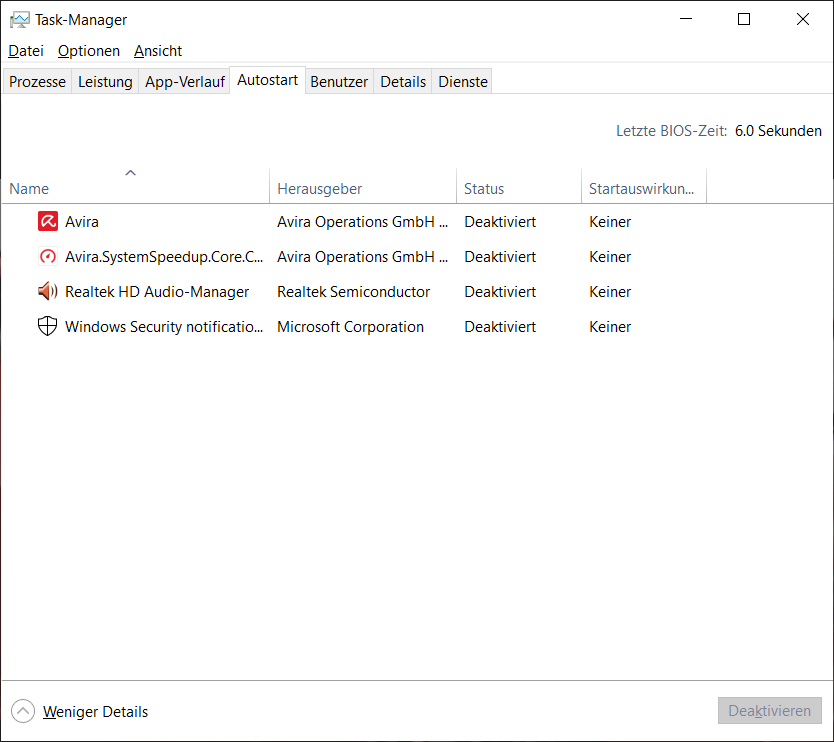
I drive my laptop with (Windows 10) normal high. But a minute later, my library, Dolby Audio, and some cyberlink that I've never heard of will open automatically. And that happens every time.
I've ever tried using the keyboard shortcut Ctrl, Shift and ESC via the Task Manager to turn off, but has brought me nothing. Can someone help me with this?
Press the key combination Windows key + R and enter "shell: startup" in the open line.
A Windows Explorer window will open with the subfolder "AppData \ Roaming \ Microsoft \ Windows \ Start Menu \ Programs \ Startup". It is the startup folder of the currently logged in user.
right-click on those you do not start with and select "Delete" in the context menu.
The folder is empty with me…
Then let's show the hidden files (if you know what I mean)
Unfortunately not, how can I do that?
Windows 10
In the search box on the taskbar, enter 'Folder' and then select Show Hidden Files and Folders in the search results.
Under Advanced Settings, select Show hidden files, folders, and drives, and then choose OK.
Windows 8.1
Swipe in from the right edge of the screen, and then select Find. (If using a mouse, point to the upper right corner of the screen, move the mouse pointer down, and then select Find.)
Enter folders in the search box. Then select Folder Options in the search results.
Select the View tab.
Under Advanced Settings, select Show hidden files, folders, and drives, and then choose OK.
Windows 7
Select the "Start" button and then Control Panel> Appearance and Personalization.
Select Folder Options and then the View tab.
Under Advanced Settings, select Show hidden files, folders, and drives, and then choose OK.
There's a program which shows you EVERYTHING what is started on your PC: https://download.sysinternals.com/files/Autoruns.zip.
If you have downloaded the program you have to search under the tab "Everything" only the software and remove the hook
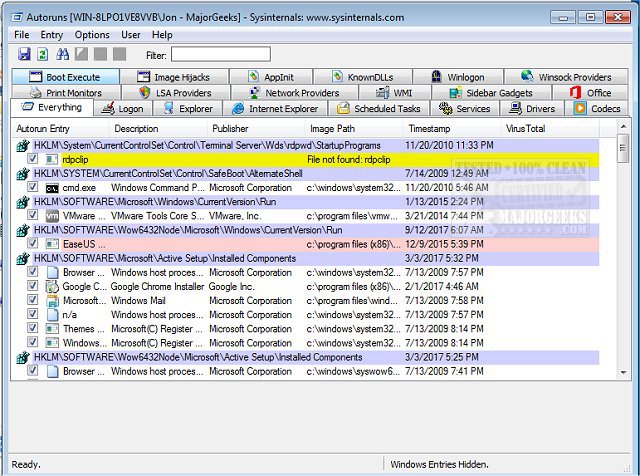
The Shell Autostart folder is not the only place from which programs will auto-launch. There are many more in the registry. That's why I would recommend the program "Autoruns", because it shows ALL programs
If you have already deleted something that would not start again.
How do I get on this tab? There are 6 parts that are Autorun64 or similar. Where should I go on it?
Autoruns64 start, the tab "Everything" would have to be selected from the beginning.
It worked, but I can't find the Explorer and Dolby-Audio…


