How do I find a driver for it now if I don't even know the name of the hardware?
ThinkPad Edge E430 Notebook:
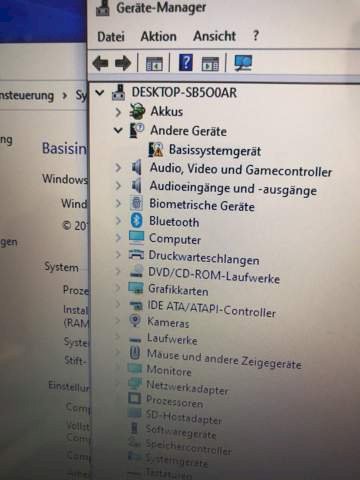
Have the hardware ID displayed under Details. Then you can have the hardware displayed on Google. Probably a card reader or USB controller or similar.
It would be worth trying to google the device ID of the affected device. You should find out when you click on the device.
There's the sdi: https://sdi-tool.org
he looks for everything together
At Lenovo, there are usually special drivers for the overlay display, or anti-shock proof systems, sometimes ACPI drivers.
If the Lenovo Vantage software runs on the ThinkPad Edge, it has a driver update manager integrated, which automatically searches for suitable / missing / current drivers, downloads and installs it.
Also a way to find out exactly what it is with the help of the hardware ID and Google search. The hardware ID can be viewed in the device manager under Properties / Details / in the drop-down menu, and you can search with the code.
Tried here? https://pcsupport.lenovo.com/...ver-update


