Which values can be observed exactly when it comes to heat?
I took a photo but don't know which values I should pay attention to how hot my laptop gets when playing I would like to know what the temperature is because it is usually divided into 3 sections: value, min, max
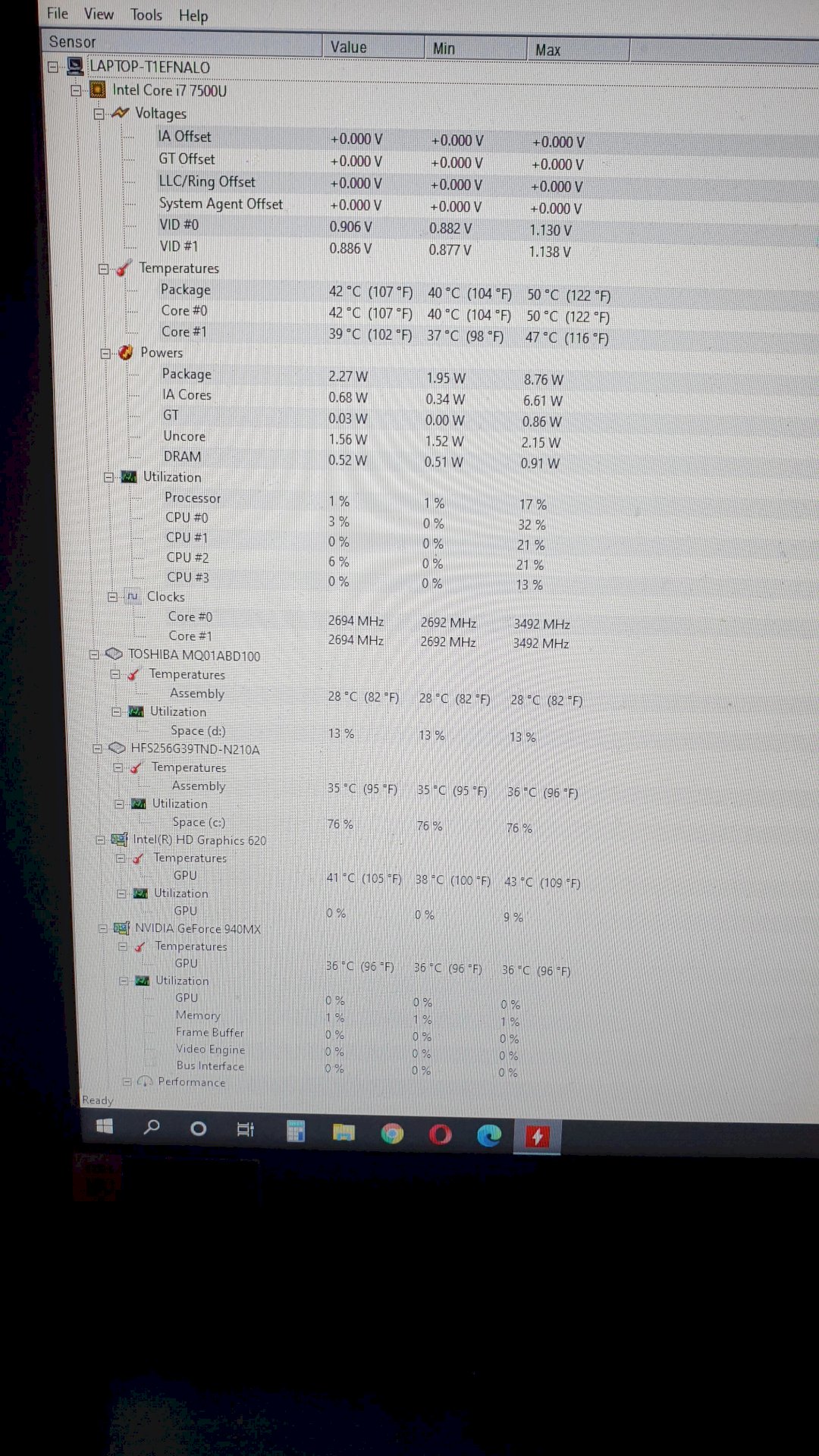
You have to make sure that the value is always between min and max.
As I understood the question, you want to know what the: value, min, max values mean.
value = the current temperature (but can also be the average)
min = the lowest temperature that was measured during monitoring
max = the highest temperature measured during the monitoring
Does that mean value shows me the current temperature when playing games? And what exactly is the temperature of the laptop? You can see the labels on the photo, such as, gpu, etc. Which should be kept in view of the most? I don't want to write them all down here because there are too many listed you can see for yourself all the terms on the left side from top to bottom
90 degrees is that dangerous when playing for the laptop?
Temperatures are generally important, for gaming the most important ones are probably the CPU and GPU. Check out the max. Temp load capacity of the components on let a benchmark run or start a challenging game. In any case, the temperatures on the screenshot are absolutely in the green.
The temperature of the CPU is at the top under i7 7500U → Temperatures → Package; that of the GPU (graphics card) below under NVidia GeForce 940MX → Temperatures.
Value, Min, Max have already been explained.
Has nothing to do with your question, but you can take screenshots by pressing the print key on your keyboard, open paint and press ctrl and v… They are then more readable than what you have posted.
It is readable, you just have to open the photo and click on full size
No as long as you don't get a warning it should be ok I think.


