Laptop Illuminated keyboard Always on?
I would like to have my illuminated keyboard switched on permanently, but it automatically turns off after a few seconds. I would have liked to know if and how you can switch them on permanently.
I have the following laptop:
Acer Nitro 5 AN517-51-7173
Just use Google…
https://community.acer.com/de/discussion/553830/acer-nitro-5-spin-tatstatur-beleuchtung-dauerhaft-einschalten
If the option is not available in the bios, it will most likely not work. The special functions are part of the basic drivers in this.
Did you read the posts? The users write that the method described does not work.
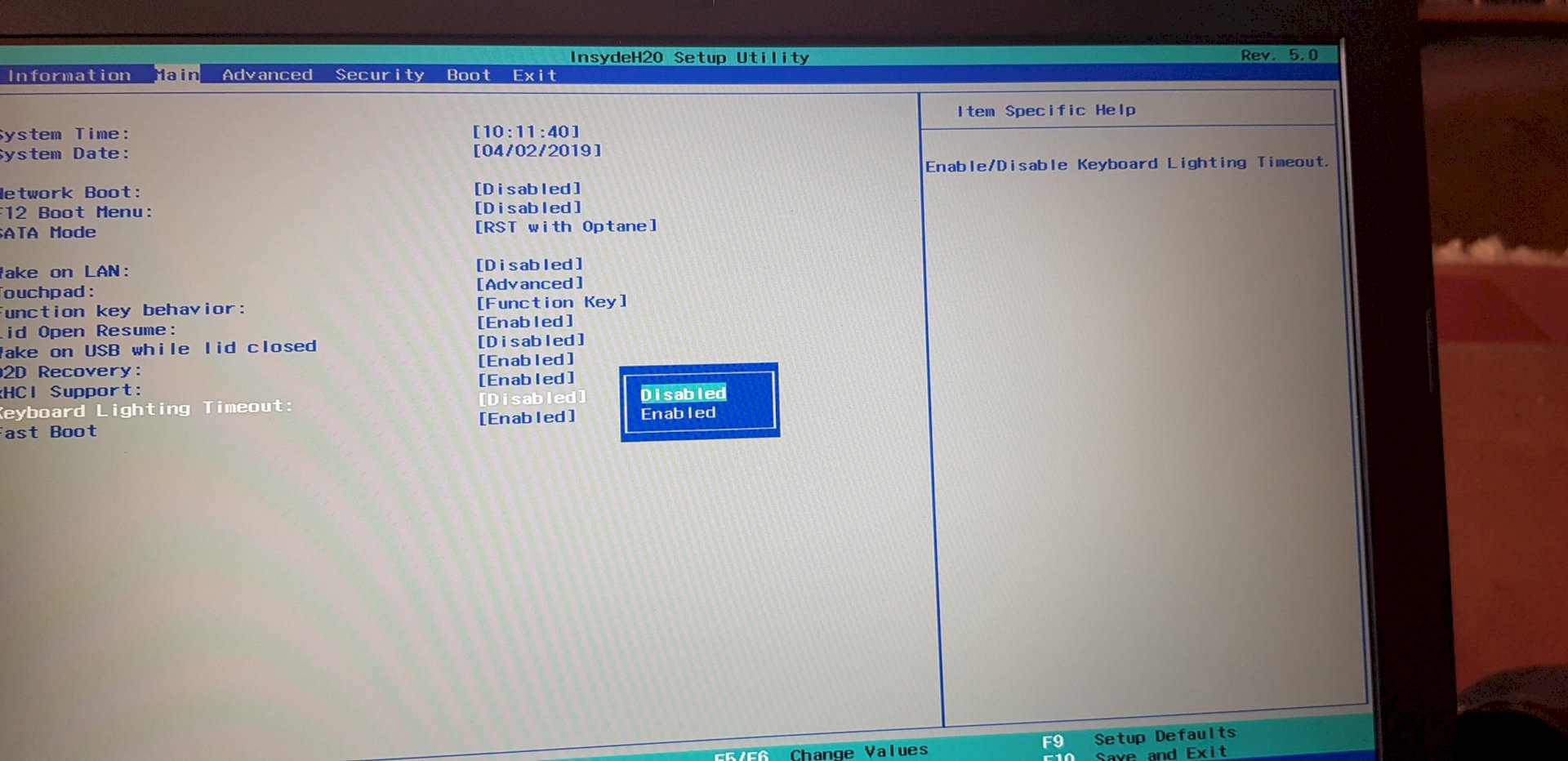
The posted screenshot of the problem.
No why should I just took the first link. I bet if he is looking for something he can do it.
Where's the help?
You can save yourself this "Just use Google", it is not very polite…
Apart from that, I have what I wanted, I would have known that you can change that in the Bios system. Since I mostly have my laptop connected to the mains. So now my keyboard lighting is permanently switched on, thanks for the link because it said that you can change it in the bios system.
I'm glad that my answer was correct ^^.


