Laptop screen (s) compatibility?
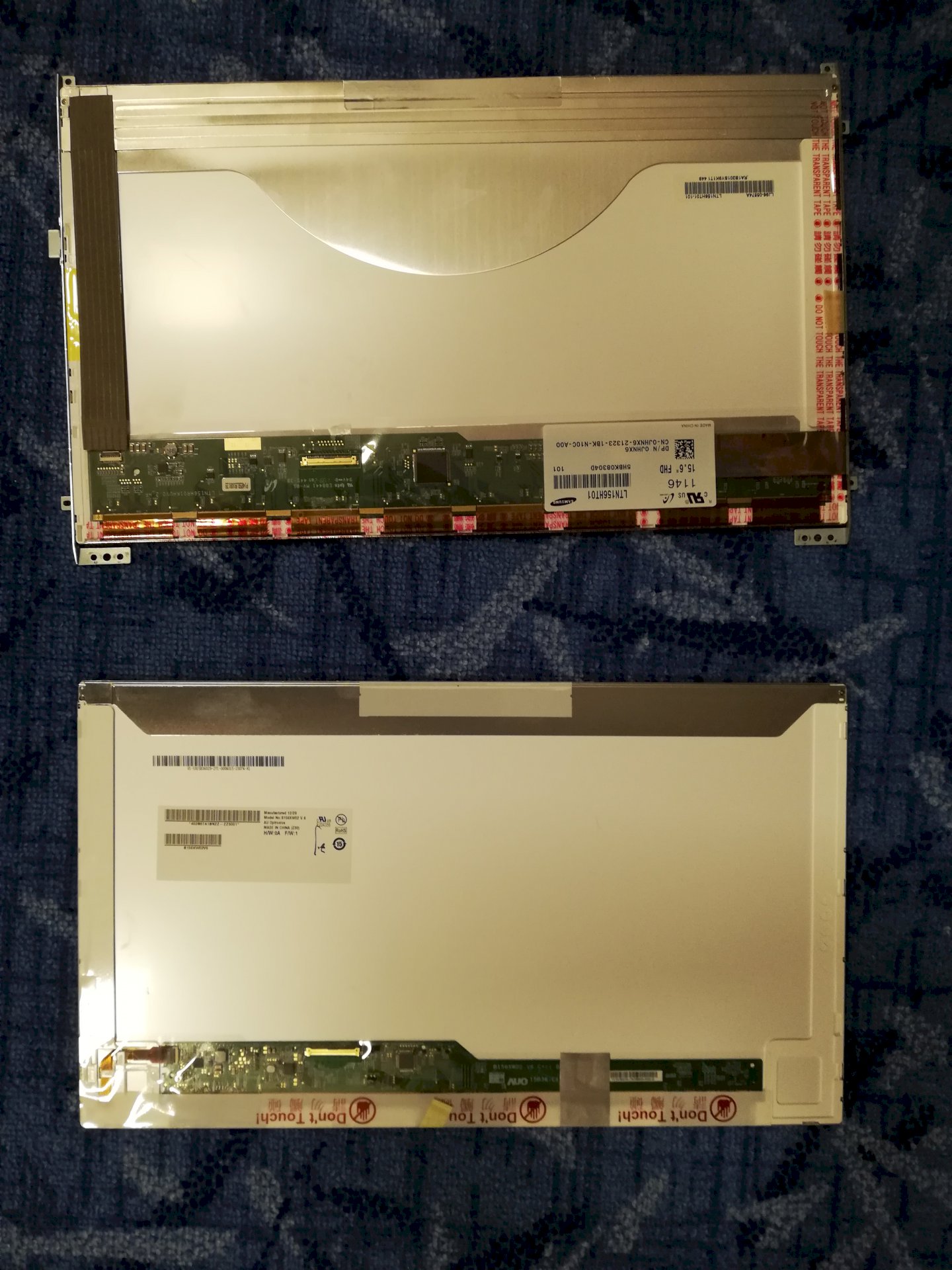
I have just removed from my old laptop a 1080p display and built it into the slightly newer laptop, and the newer in the old. It is the newer where now the old display on it is nothing displayed (lights black) the other is the picture divided into 6 parts where the same is displayed on all. The cables are not broken, because I have again dismantled and made the whole thing again so again. Graphics cards are not broken because it works with an external monitor. Here is a picture of the 2 display's
Normally it should work. Only the video drivers are probably not optimized for this screen.
Try if you come with them to the bios and if it works flawlessly
So
What are the laptops brand name, model name
You can be glad that they still work in the original, that is not so common.
You can't replace every X display anytime between different laptops, that will not work. Not every manufacturer adheres to the pin assignment, everyone makes his own and sometimes this can also lead to problems. Likewise, there are different graphics cards that are not pin-compatible which causes further problems. If you want a better picture, build a Desktop PC, you can experiment as often and as long as you want. In case of defect you can only change the same screen on a laptop NEVER another.
What should I do in bios when it comes to optimize the graphics drivers?
btw everything runs normally just stop with external screen


