Laptop misplaced (Google)?
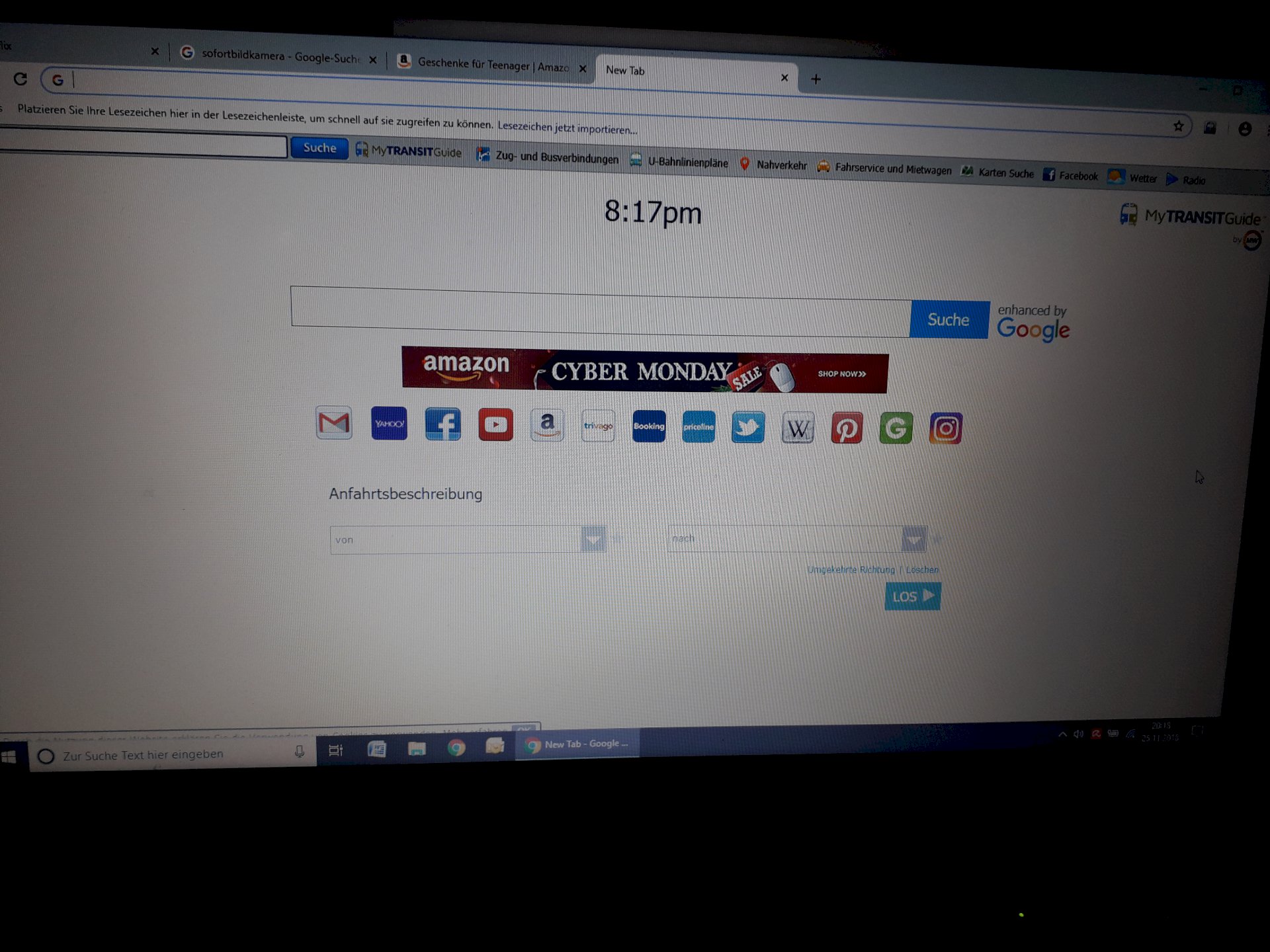
My mom has made something wrong on the laptop and now it's not normal Google anymore, it's the one in the picture. You can enter everything normally, but if you open Google, it looks like this. Does anyone know how to put it back?
Chrome: // settings /
Below can be changed "At Start" and possibly "search engine". Standard would be for "at startup" just New Tab or Just Recently viewed pages open.
Since she has probably installed something, which in turn has put in the installation package so-called plug-ins for chrome.
These ensure that the look of your browser is changed.
Therefore, look in the program manager, if she has installed which programs, which you do not know.
Alternatively look at chrome in Settings → Extensions and see if an extension is enabled / installed, which is nonsensical. Delete them.
As a third option go back to the settings of chrome and set the default page to http://www.google.de/....google.de
After that it should work.
You seem to have just another home page active.
Just go to Google and set this page again as the start page.
https://www.google.de/...google.de/
https://www.youtube.com/...einrichten
A likewise very nice search engine, which (among other things) likewise interrogates Google, but deals differently with the results is Startpage.com. It is referred to as the "most discreet search engine in the world" because no requests and other data are stored.
https://www.startpage.com/
https://www.youtube.com/...ge+deutsch
And then another tip by the way:
Try the browser Vivaldi (2.1.1 …). This is based on Chromium and is compatible with the Chrome addons.
https://vivaldi.com/de/
@MartinusDerNerd How exactly do you set Google back as the start page
Just click on the YT-Links. There you will find the description.


