PC: Fullscreen not possible for certain applications?
Does anyone know this problem on the PC / laptop? I transfer the picture to the TV via HDMI. I see the desktop as normal on full screen. For some applications - especially games - the game is greatly reduced in size and the rest of the screen is black. I've attached a picture of it. I'm at a loss, because the respective games are already saved as full screen in the settings… Who knows what advice?
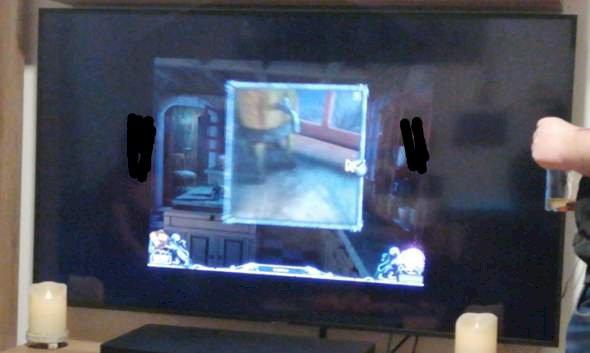
Does the game have an original aspect ratio of 4: 3 or 16: 9?
If 16: 9, the resolution in the graphics options should also be set to e.g. 1280x720, 1600x900, or Full-HD 1920x1080 can be set, whereby both "displays" should also support the selected resolution. (e.g. 1920x1080 60Hz)
Monitor 1 PC monitor / laptop screen on monitor 2 LED TV
"Duplicate", do not expand, and switch off the "small screen" before starting the game, or leave both switched on for comparison.
Activate "game mode" on LED TVs to reduce input lags.
This deactivates all image ver (bad) better.
In the AMD / Nvidia drivers set the "Scaling" for both displays to aspect ratio or full screen, and the option to: - Override the scaling mode preset by games "Activate" or "Deactivate" depending on the initial situation.
It takes a little while to "try it out" with the various setting options to achieve the desired result.


