Screen brightness changes drastically?
I have asked this question several times and will ask it one more time, because until now I still have not found a solution to my problem. Yes, you say "All good things come in threes"
As soon as I either remove the charging cable from my laptop or connect it, the brightness changes dramatically. I searched in vain for the settings and I have not found anything on the internet yet
Do you know this problem and do you know how to solve it?
In the settings, I found nothing. Please note the content of the question!
This is NOT a problem but a matter of attitude. You can adjust the brightness separately after battery and mains operation. Depending on the laptop, either directly in the graphics settings, or in energy saving mode.
This brightness difference between the mains and the battery is quite normal and wanted to extend the battery life…
In the settings, I found nothing
This sentence should actually say everything…
That can be adjusted on EVERY laptop. Is there no manual on this? What's your laptop called?
Thanks for your polite comment.
HERE is the manual:
http://h10032.www1.hp.com/ctg/Manual/c02478667
and there you find on S30 ff and others, the following:
To change the current Power Control settings1.Right-click the power icon in the notification area, at the far right of the taskbar, and then click Preferences .2.Change the settings on the On AC Power tab. On BatteryPower, or General as desired.
As already done by me, separated after mains and battery operation can be adjusted individually…
Hmm. Well, it's like in the answer: attitude thing.
Just because you did not find anything does not mean it's not there.
Maybe you'll start thinking after reading these two questions and their comments and then stop with your unnecessary and unfunny jokes!
If you refuse to look into the manual and try to understand and grasp the admittedly rather complicated menu of this laptop, you are looking for "I was searching in vain for the settings and I have not found anything on the Internet". Of course quickly finished. I call something advice-resistant.
The others are always to blame, either they have not grasped the question, or are making jokes… ☻☻☻
I stick to it: it's a matter of attitude
With the variety of good answers and your bad comments, I think that the problem of hiring is not the laptop, but to find you.
Did you solve the problem? Or is it still there?
Do I understand that correctly, that you have already looked at the following settings, but it still remains this way: (Picture from google)
In particular, I mean in the right window the two controls for the brightness.
They indicate how bright the notebook is when it is plugged into the battery 2.
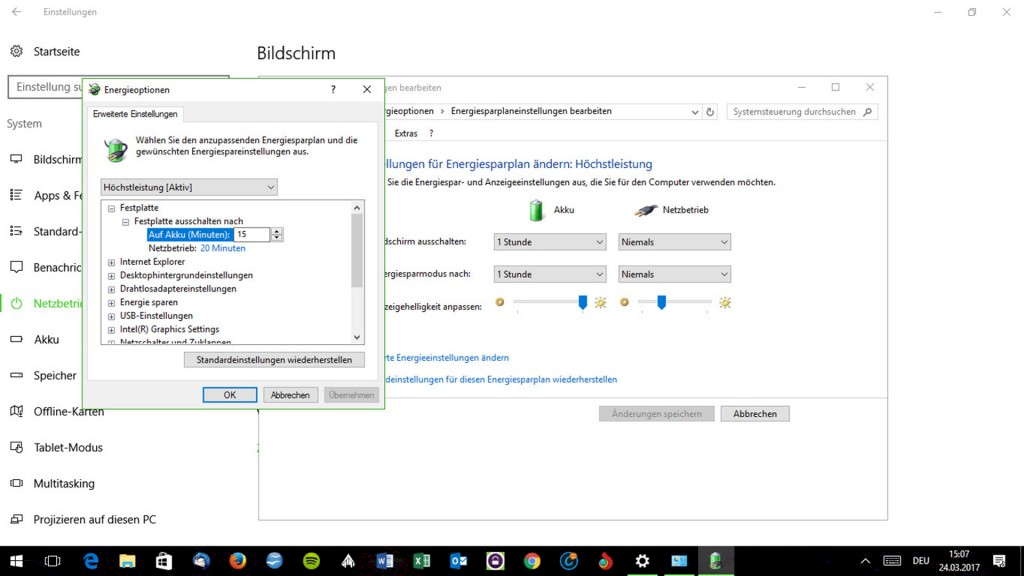
In addition, there are the options energy-saving mode, maximum power and balanced:
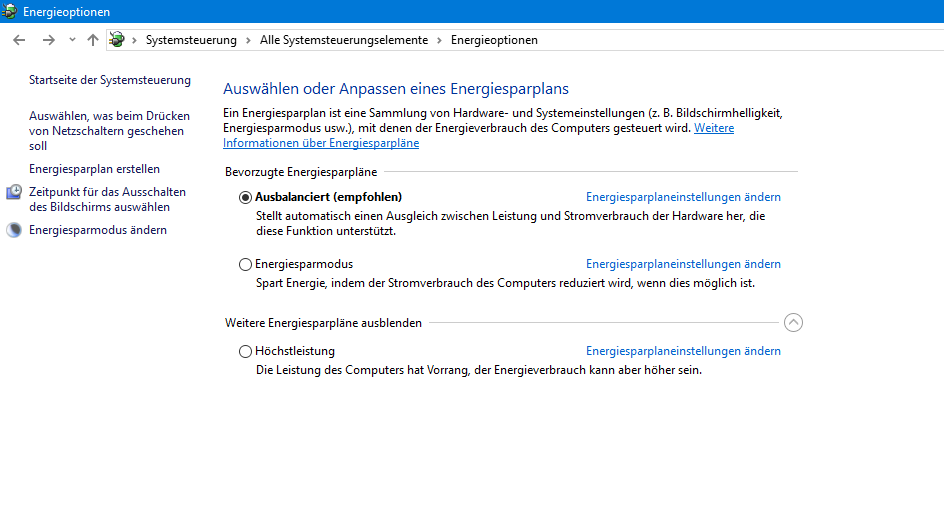
If Energy Saver is Active here, it could be because of it.
Otherwise, I just remember that there may be a keyboard shortcut to adjust the brightness.
I do not have these two controls. I see these knobs on the picture for the first time


