How to connect beamer?
I have a new projector, (Leshp) but this does not recognize any signal from my laptop although I put source on HDMI. Is there something to consider in a projector installation?
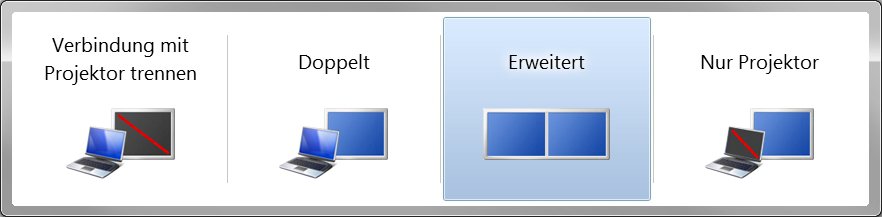
Press the Windows key + P on your laptop and see if that helps.
Did you assign in the settings the beamer or "second screen" also a task (screen double / expand / do nothing)?
A projector / projector, I had previously only connected to my laptops.
There it was always enough to put the input signal of the beamer on "Auto" or the corresponding video input. Then look at the PC, if it is recognized as another screen and set accordingly whether he should display the same picture as the main monitor, whether the desktop should be extended or whether only one of the output devices should be used.
You can find the settings under Win7 under "Screen resolution" or by pressing the key combination Windows key + P (see picture).
It is similar among other Windows versions.


