How do you upload photos from your laptop to Instagram?
Mi
Miracle
3
I've searched so much but can't find anything. I'm very grateful for the help
li
lipstick
Actually not at all as this is not intended by Instagram.
But it should work with plugins:
El
Ellisondesk
Ha
Haley724
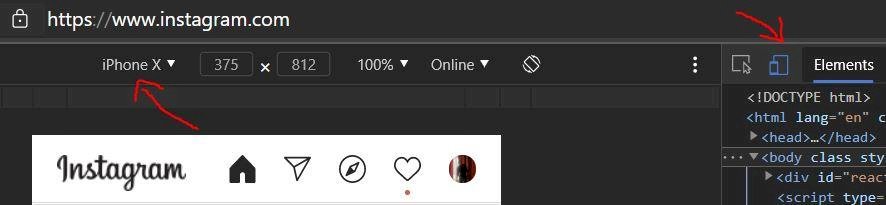
It's very easy. For this you need Google Chrome or the new Microsoft Edge browser (which is based on Chrome). Probably works with others too.
1) Go to Instagram
2) At the top right the three dots, then on More Tools, Developer Settings
3) In the new window click on the second symbol at the top left, and then click on e.g. IPhone X set
4) Reload the page and now you have the upload button.