Can I change the video card on my laptop?
See photo:
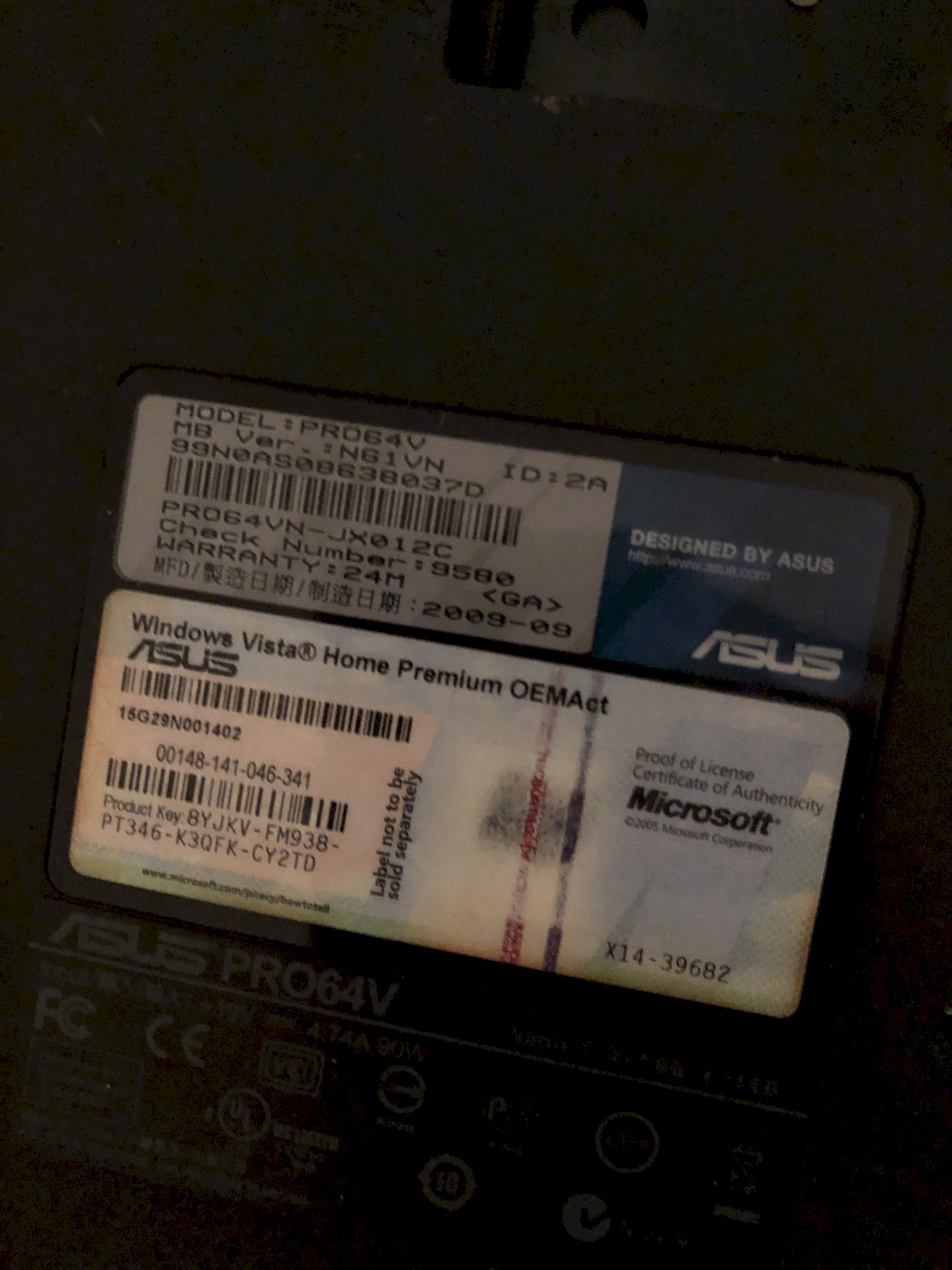
No, that's not possible economically.
With modern laptops you could connect an eGPU, but this is not possible with your laptop.
No, this is not possible, as with most laptops. In addition, the laptop is already quite old. It would not be worth it at all.
Well, but it still works. Even better and faster than the laptop from my parents and that is new from my parents and on the asus I own you can play better games I think it's worth xd
Well, that depends on the hardware installed on it. Nevertheless, nothing can be exchanged here. This would only work on very expensive MXM-standard laptops. And here's the next problem, namely the availability of such maps. You get the only too often horrendous prices on Ebay classifieds and such. In regular shops these spare parts are not available.
In short, it's simply not worth investing in this old, if still functional, laptop.
No, that is not possible. I see that is still a device from the time of Windows Vista. I would install a Linux distribution on this laptop, so that you can continue to use it meaningfully without spending extra money. I recommend Lubuntu. This is an official Ubuntu devirat, but the resource-saving LXDE desktop is used. Here is the download of the ISO: http://cdimage.ubuntu.com/...p-i386.iso
Burn the downloaded ISO with this tool http://www.freeisoburner.com/ to a blank DVD or if you boot from USB you can use this tool https://unetbootin.github.io/ to write the ISO to a blank formatted USB stick. Then boot the DVD or the stick. Just follow the instructions of the installer. It offers the possibility to completely delete the hard disk. I recommend a full installation. You should also choose third-party software. Upon completion of the installation and the first reboot, the update manager will contact you. These updates should be installed immediately.
And so you always automatically get the latest Firefox: Go to the Start menu> System Tools> LXTerminal. Enter the following commands there and end with Enter:
sudo add-apt-repository ppa: ubuntu-mozilla-security / ppa
sudo apt update -y
sudo apt upgrade -y
Now Firefox will be updated to the latest version. If a new version is released, the Update Manager will report it and offer an update.
The update manager takes care of all installed programs. You do not have to manually update every single program like with Windows.
For licensing reasons, the Flashplayer is not preinstalled at Lubuntu. But you can easily install it. To do this, enter the following command with LXTerminal and terminate with Enter:
sudo apt install flashplugin-installer -y
This installs a script that automatically downloads and installs the latest Flashplayer from the Adobe page.
Also under Linux you can download on Youtube. Simply install this Firefox addon: https://addons.mozilla.org/...converter/
Also on Spotify you do not have to do without Linux. The installation is a bit complicated for Linux newcomers. I explain the steps to start LXTerminal and enter the following commands or copy & paste:
sudo apt-key adv --keyserver hkp: //keyserver.ubuntu.com: 80 --recv-keys 931FF8E79F0876134EDDBDCCA87FF9DF48BF1C90
echo deb http://repository.spotify.com stable non-free | sudo tee /etc/apt/sources.list.d/spotify.list
sudo apt update -y
sudo apt install spotify-client -y
Spotify can be found in the Start Menu> Entertainment Media> Spotify
Lubuntu goes off like a rocket and scratch even on such an old device hardly s.den system resources. By comparison, Windows is a lame duck.