Micro in laptop no longer works, what to do?
Accidentally clicked something in Google Chrome, and the microphone has not worked since then. Have clicked in the settings it should set the Mirko so that when I need it, I can use it. Unfortunately this is not the case (see screenshot)
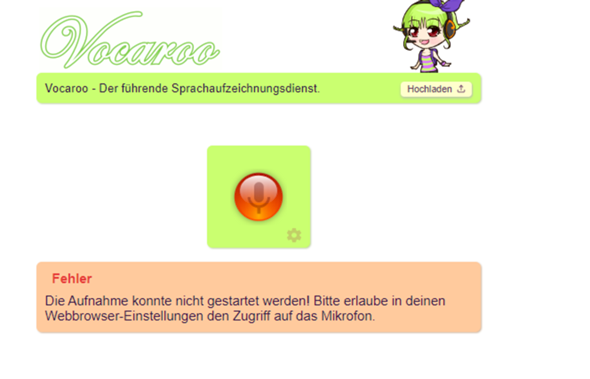
Who knows and knows what it could be? I also checked whether it could be due to the bottle player and approved it, but nothing happens. I have already looked through 5 pages or more in Google and everyone only writes that I can do that in the settings, but nothing happens. I also tried another website where you can do voice chat and I can't open my microphone… What could be the reason and how do you best fix it if I have already set the settings to Allow micro?
PS: Have Google Chrome if I shouldn't have said that yet
I know this procedure using the example of "Discord":
https://support.discord.com/hc/de/articles/205093487-Wie-aktivere-ich-mein-Mikrofon-in-Chrome


