What was that just for an error?
Just wanted to boot my laptop from standby and got this blue screen (see picture)
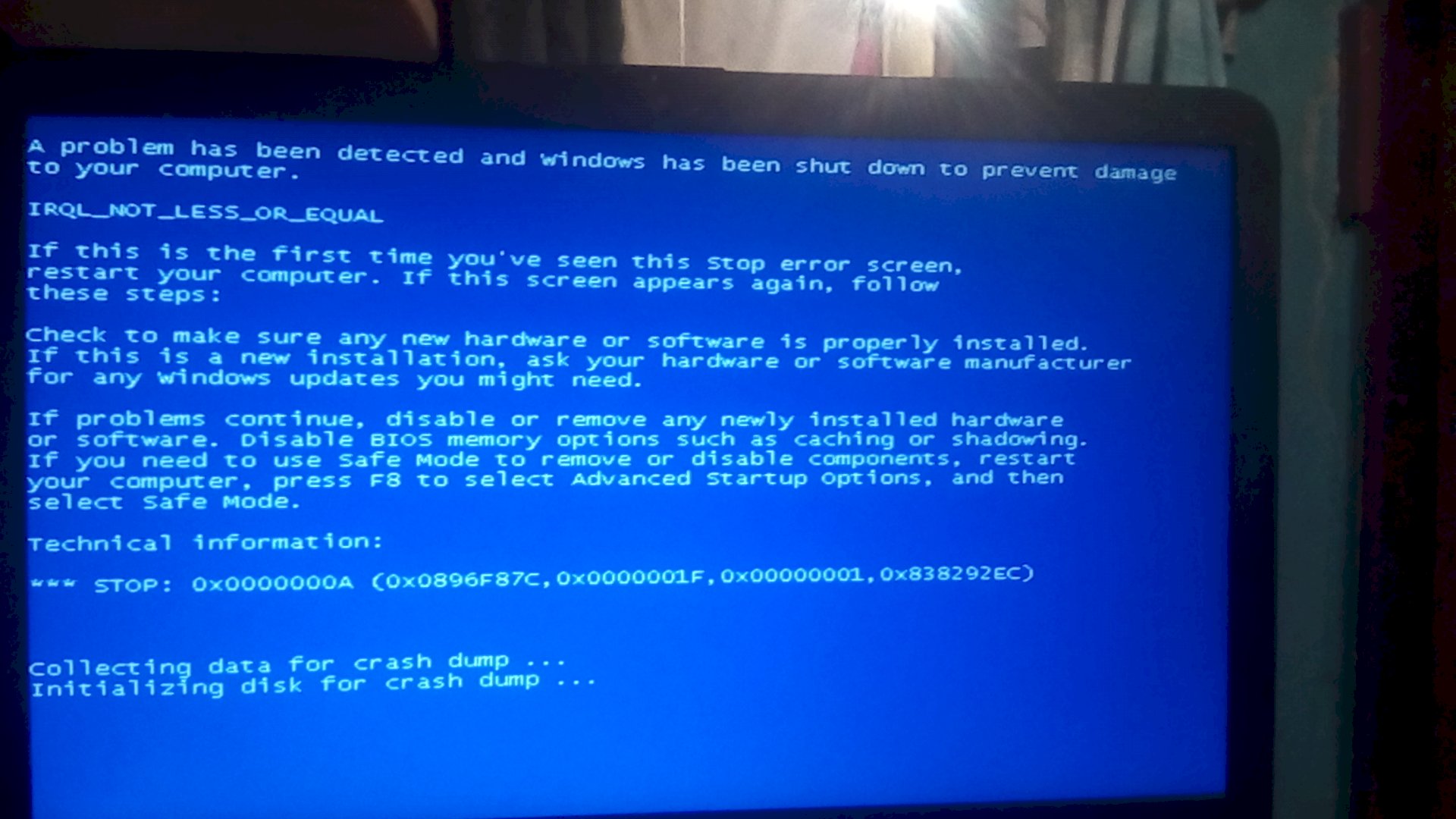
After a restart, he runs as usual.
To put it bluntly, your Windows has been waking up when you wake up. As long as it was unique, do not worry and be good. If this happens more often, it is often an indication that the computer is soon quitting its service.
Thank you. Because such an error message with this error code I have never had.
I already had a blue screen 3, 4 times, but not yet with this error message.
It may be harmless, but it may indicate a threat of hardware failure.
Especially older versions of Windows have errors in some situations, which can lead to a blue screen. Should it stay with this one case, then you can safely ignore it.
If this happens more often, it will probably be due to the hardware. Which part that is is as good as impossible to find out, at least as long as the error codes do not say anything helpful.
At best, you are looking for the error codes on the Internet, maybe you will find more detailed information. If it does recur, you may already know what the problem is.
You can also check the S.M.A.R.T. Values of your disks. A defective HDD or SSD can also lead to such errors and when they give up the ghost, you lose your data, which you can't buy "just in time".
PS:
I assume that you do not use Windows 10? Because the blue screen looks different.
You should upgrade to Windows 10. XP has long been out of support and gets no more updates. Windows 7 will be out of support next year. Windows 8 is something like a half Windows 10 (similar to Vista to 7) and has mmn. No raison d'être anymore.
Start the command prompt with administrator rights and enter the following command:
sfc / scannow
This will fix the system files.
Thank you. I will make. And let's see if it brings something?
What is this armful of reasons?
And no, it does not matter that the support is discontinued, because that includes security updates. That this is relevant, has been seen several times in Windows XP.
I can give you one reason right away: Have several games that I did not get running on Windows 10 in this week!
And believe me: I do not care that the support of Windows 7 is set! Because Microsoft can't prevent it anyway that I continue to use the best Windows!
Have a PC on the run for a good reason even the XP, because I've installed games that work better with the XP than with the 7 Series!
Best regards,
Lisa-Marie
Ps: I'm not in the mood for nonsensical debates about the meaning and nonsense of XP & 7! Because I continue to use these Windows, because I can and want!
You can't prevent them, but security holes that are not closed can make your life difficult.
The problem is that there are also virus writers who look at the updates of Windows and then write extra for viruses. In doing so, they reach the masses of people who consistently defend themselves against updates.
If you need an old Windows for old programs or games, I would install a VM for it. Windows delivers with HyperV directly the necessary tools, alternatively there's still the free VirtualBox. A VM has the advantage that you can easily import an old snapshot in case of a problem. This only takes a few minutes, depending on the performance of the PC.
But I do not care, I'm just warning you. There are more than enough viruses, because nobody can help you here, if you have that on the PC. Most effective response to such a virus: Restore or reinstall Windows.
PS:
Incidentally, the German railway had massive problems some time ago for exactly the same reason. They had to install XP on their machine and lo and behold: every single machine stood still. Since someone has exploited a well-known gap on XP systems to harm the German railway. For Windows 7's at the time the matching security update was delivered automatically.


