Power Point Product Activation Error?
I just wanted to start working on my power point presentation. However, if I click on the slides (which I have made before), I can no longer edit them. At the top of the name of my presentation is "Product activation error" all the time. I have already restarted my laptop and tried to save it again, but that doesn't work either. Can someone please help me, I have to deliver the presentation in 4 days.
Is there such a yellow stripe not yet activated with editing?
If not, then you just have to press activate edit
No, unfortunately I can't see a yellow stripe here, thanks a lot anyway
Ok too bad
Actually very simple, although I'm always happy when the entire activation phase has been successfully completed.
What happens when you click Activate Product Key via FILE - Help? If you don't find a Product Key button, everything is fine, it should look something like this:
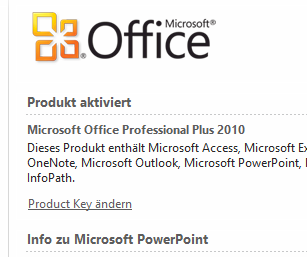
Otherwise you have to continue to follow the "Activation Assistant", enter the serial number etc.
You can also read the keyword "Product activation" in the PowerPoint help. Unfortunately I don't know your version.


