What to do if the computer does not install windows after a reset?
I reset my Medion Erazer gaming notebook today. I mean everything is gone, the maximum that can be deleted.
After this process the notebook should be restarted. It does, Jedoxh always gets the message:
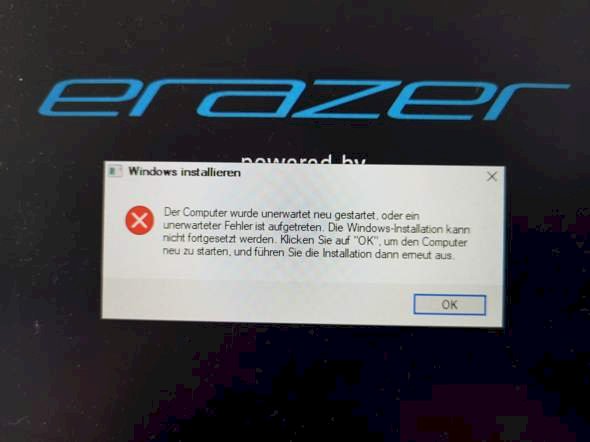
Install Windows
The computer restarted unexpectedly or an unexpected error occurred. The Windows installation can't continue. Click ok to restart the computer and then run the installation again.
Even after waiting, pressing ok, or simply closing the window, nothing changes and the message keeps coming back. I don't know my way around so I'm asking here!
Please no answers that are about unscrewing the laptop and converting something, if there are other options.
Thanks in advance, LG
Yes, there's probably only the radical cure, delete disk and reinstall windows from the beginning
Do you have a boot medium? Bootable USB stick or a Windows DVD? If so, it may be that you have to switch the BIOS from which medium it should boot.
How do I do it exactly? Basically everything is already gone and I don't get to do anything on the computer
Yes, good question
At the beginning of the new installation, you can delete the partitions on the disk so that windows can organize them as needed. But you can also connect another computer and make it flat, just as you like it


