Install Minecraft on Linux?
I wanted to install Minecraft on my old Linux laptop. I already have Java on my laptop and downloaded Minecraft with the Tar.gz extension (32 bit system). Did I unpack it and what should I do now?
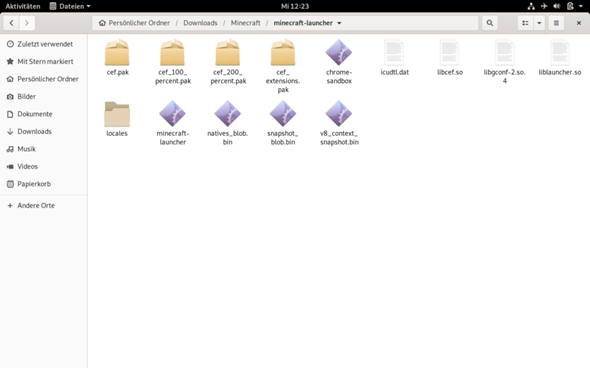
Enter mal./minecraft-launcher in the terminal.
Unfortunately this is not possible. There comes: That it is a directory
Then you have to do cd minecraft-launcher /
then./minecraft-launcher
Can't execute the binary file: An error in the format of the program file then occurs.
Follow the instructions
https://wiki.ubuntuusers.de/Spiele/Minecraft/
I'll do, thanks.
But I don't find Minecraft.jar
Then do sudo updatedb and then locate Minecraft.jar
if there's no command, you do sudo apt install locate
then sudo updatedb and then sudo locate Minecraft.jar
sudo of course only works if you have installed it.
In the terminal:
cd Downloads / Minecraft / minecraft-launcher
chmod + x minecraft launcher
./minecraft-launcher
Right-click on the "minecraft-launcher" file → Properties → Access rights and make sure that the "Run file as program" check box is set, if not set.
Then click on the "3 bars" ("Burger") menu in the top right corner (this is right next to the x with which you close the file manager) → Settings → Behavior and see that under "Executable text files" it says "Ask what should happen "or" Execute "is set.
Then double-click on the "minecraft-launcher" file (if you are asked whether you want to run or view the file, click "Run").
Alternatively in the terminal:
cd ~ / Downloads / Minecraft / minecraft-launcher
chmod + x minecraft launcher
./minecraft-launcher
What kind of distribution do you use? There may already be a suitable package (e.g. Deb) that makes it a little easier.
Is that because I use Debian 32 bit and no Arch Linux
Sry but my old laptop isn't good. The laptop is only for vacation
That goes for all distros.


