Laptop c data is full?
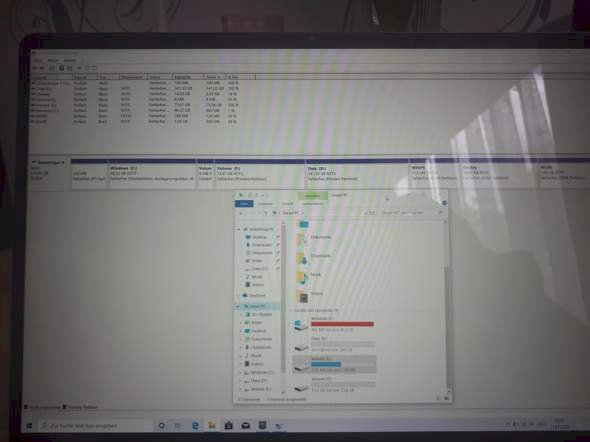
Hey guys I did such a partition by mistake now my file Windows c is almost full for a reason but I have a file f that now has 73 gb, how can I get it back to normal as before? And use memory d?
Help!
It works with Linux
But I'm IT, I have a 90GB C partition and only 50GB programs (no games) and D data 500GB and the rest of Linux but C can only be partitioned with Linux
You can partition the disk in Disk Manager because Windows is not so good at it
But Edge as a browser I don't know
Since you only have one hard drive, you have to delete one or more of the partitions behind C: and then expand C:.
You are already in the data carrier manager. To delete a partition, right-click on it and select Delete Volume. But be careful that you delete the correct one. Save the data beforehand, they will be gone afterwards.
When you have created space behind C:, right-click on C: and select Expand Volume. The assistant who shows up will help you. It's not difficult and actually self-explanatory.
https://www.google.com/...+erweitern
e.g. B. Search results
https://praxistipps.chip.de/...sern_42841
https://www.pc-magazin.de/ratgeber/c-partition-vergroessern-windows-10-systemfestplatte-erweitern-speicher-voll-3195850.html
It is less risky to move the partition boundaries or to merge the partitions using an operating system that does not start from one of these partitions. So z. B. From a Linux live system or a "repair disk".
If you still have a partition or an external medium (USB stick; external hard drive) with 50 GB free space, make a backup of partition C: beforehand. Another system is best. - And if you have such a backup, the safest thing is to delete the partitions and recreate them and then restore the backup to the new C: partition.
Apparently, the asker Workhard826 just created the partition D: (accidentally), so there are no files there yet.
I'm not sure what he did exactly, because strangely E: and F: lie between C: and D: Looks almost as if he had reduced C: and then created E: and F:.
You would have to see what the disk management means. The explorer is not interested in the physical medium on which a volume resides.
Thank you I managed it like old 😃
There's a miracle program that puts everything back in place.
https://www.easeus.com/partition-manager/?ad
D: or shrink what you have with the cursor on the left. Then enlarge c. Right cursor.
Can take a few hours.


