PC, laptop problem, the internal mouse does not work, only the external normal mouse?
di
disgustmikayla
4
PC, laptop problem, the "internal mouse" does not work, only the "external" normal mouse?
al
alysondexter
What is more accurate for a notebook?
For most, you can simply disable and enable the touchpad.
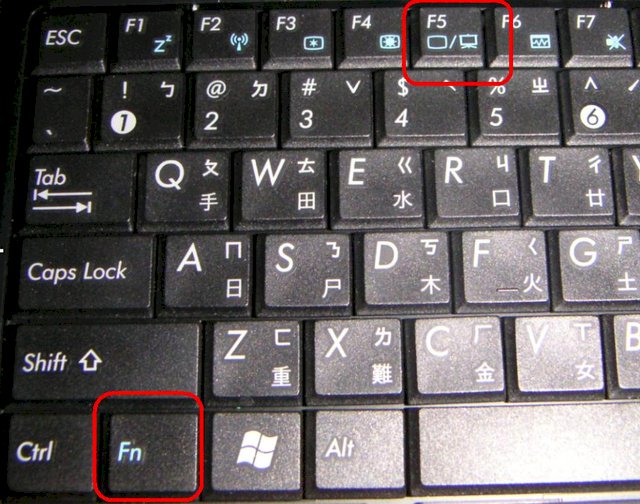
For the F-keys (top row), there are usually more functions which can be done by simultaneously pressing the Fn-key and the F1-F12. - If you have a symbol that might look like a touchpad or a forefinger with a crossed-out circle, try to reactivate it with the keyboard shortcut.
Otherwise, you can also upload a photo of your keyboard.
di
disgustmikayla
Many thanks! Just did not have time to try it out. If it does not work, I'll contact you again.
al
alysondexter
Thank you for the award.
Hope it worked.
di
disgustmikayla
Yepp, it has!


