Windows 10 laptop operating system does not start?
Hello dear Com.,
I have a problem with my laptop and can't get any further… It is a Toshiba Satellite about 6 years old.
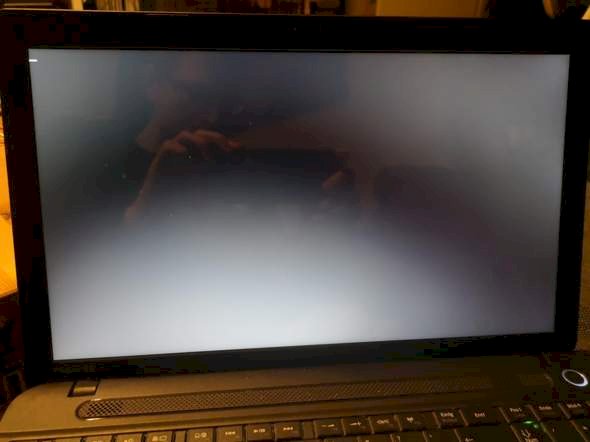
The battery was empty and the device turned off. When we start the laptop now, the Windows 10 operating system will no longer boot. The screen stays black. A blinking space bar can be seen in the upper left.
I enter the BIOS, where the HDD hard drive can also be seen. It does not work with the repair via Windows 10 / CD or USB stick. I also can't reset the laptop. The message "There was a problem." appears.
I would try first with a live CD such as Save the data with Knoppix (https://www.knopper.net/knoppix/).
Am I reading correctly that you have already tried to boot from the USB stick? Wasn't there a specific error?
If the CPU, RAM and the board are OK, you should be able to boot from the stick / CD. Let's run a meme test: https://www.memtest86.com
Alternatively, you could try removing the hard drive (HDD) and see if you can then start the Windows 10 installer / tools from the stick.
I'm just about to reinstall windows and the current Windows version becomes Windows. Old, let's see if I can start it then. If it doesn't work, I'll test it with your suggestion with the RAM test. Unfortunately, I was not told any mistake in the name in any way… I didn't quite understand the knoppix, do I have to buy a DVD there?
Booting from the stick worked. I just couldn't repair or reset it. The system said there was a problem… But suffer without labeling.
Nope, you can simply download the ISO and burn it to CD / DVD: https://www.knopper.net/knoppix-mirrors/
Is completely free…
By the way, I would advise you to back up your data as soon as possible - although of course you have always backed up your data regularly anyway - and to install a new storage medium, provided the RAM / CPU are OK. Although I would recommend an SSD instead of an HDD. After 6 years you have to expect that the HDD will gradually die off…
And never forget: Always make backups regularly.
Every storage medium can be broken!
Without specific mistakes is stupid. Run a meme test, if everything fits, then I tap the HDD…
With Windows 10 you can e.g. Have it checked with CHKDSK. Ne instructions for this: https://www.netzwelt.de/...gehts.html
It would also be helpful to display the S.M.A.R.T values of the HDD: https://www.wintotal.de/tipp/s-m-a-r-t-status-der-festplatten-unter-windows-anzeigen/
For laptops with not working Windows I choose the easy way and boot the better working and better equipped Linux Mint Cinnamon for data recovery and permanent installation.
The Mint ISO file is available free of charge from linuxmint.com. After the download, simply write on a USB pen with the free Etcher program and boot the computer from it. As soon as the elegant Mint desktop appears, start the file manager and save all important files from the computer hard disk to a USB disk. The operation is very simple, like with Win7.
To install it, click the install icon on the Mint desktop, so Mint can either be installed next to Windows or on its own on the disk and can be used permanently free of charge and without spying. Linux does not require a payment key or virus scanner. All programs I need are included (as a full version): Libre Office, secure browser, drawing program, PDF software, photo editing, media center, cloning program, well-stocked AppShop. Any beginner can handle it well without a manual, I've found. A dear colleague once said that anyone who knows Windows is almost overqualified for Linux Mint. Windows is often no longer required for normal use (I'm not talking about professional gamers here).


