Make screen normal again?
Br
Briablowgun
- in Asus 7
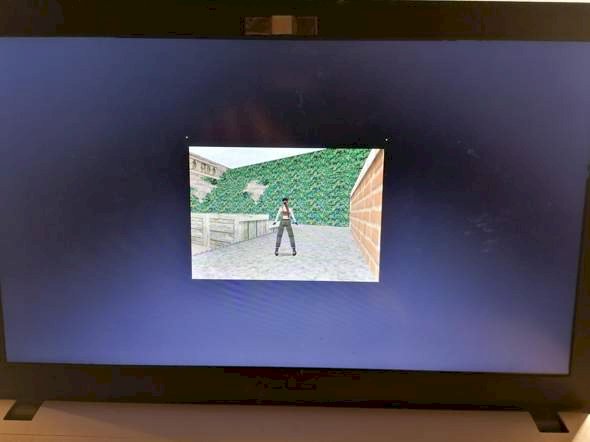
Hello,
I accidentally pressed some key combination yesterday, which made the screen look like this. That also made my normal home screen totally strange. All things were far too huge. I then definitely right-click, adjust and then solved the problem with my home screen. Now wanted to continue playing, but here the edge is still as in the picture.
Can you help me?
I have an Asus laptop
ch
chillyalfonso
Maybe with "F11"?
Pe
PersianCardboard
In the settings of the game itself?
Br
Briablowgun
Ne that is so old, there's somehow not much 😅
Br
Briablowgun
Unfortunately did not help
ch
chillyalfonso
What a shame…
Se
Sedatecotton
Maybe. With Ctrl & "0"
Br
Briablowgun
Has. Unfortunately not working either


