Can't get out of this mode, what to do?
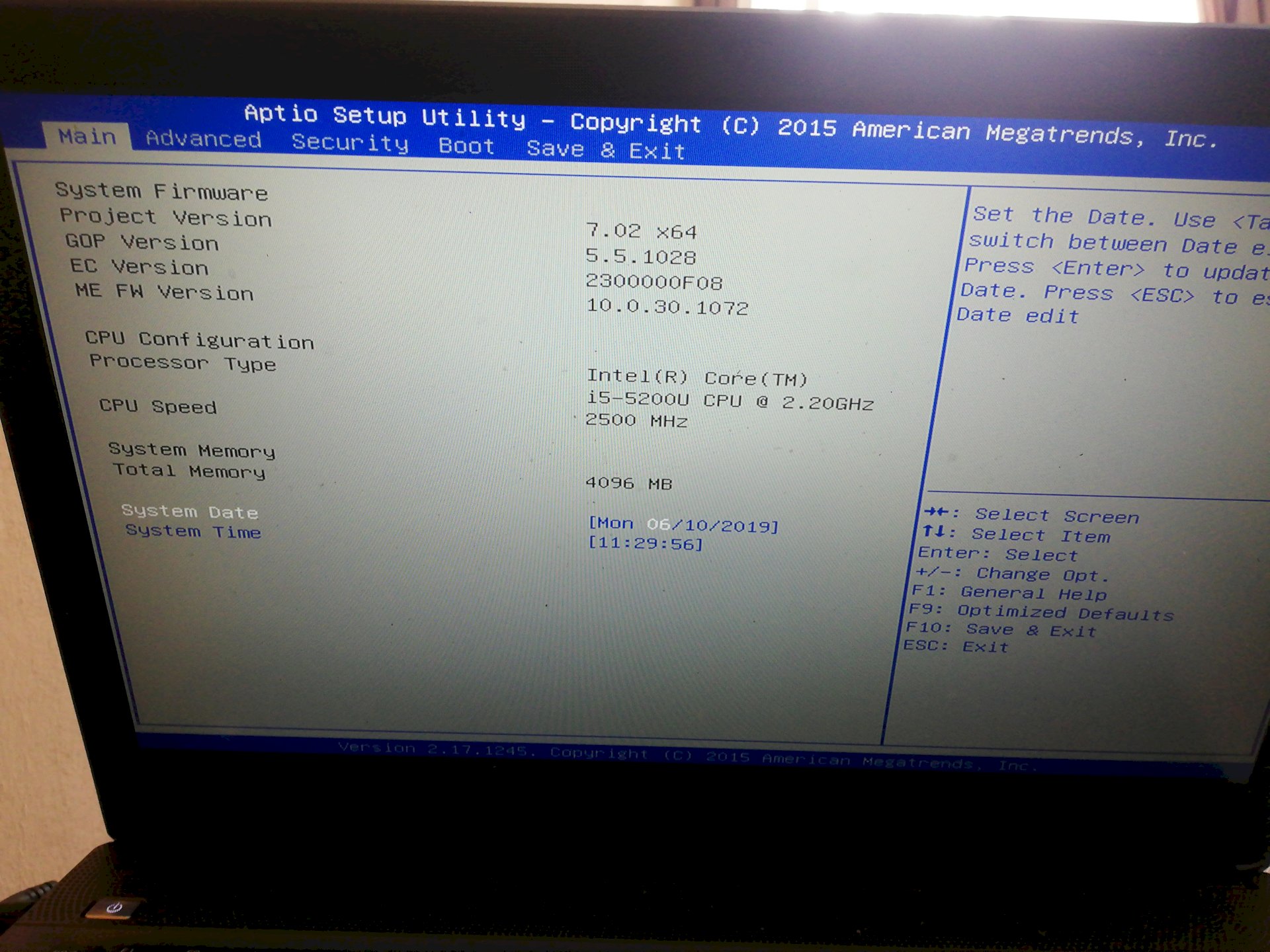
Have a Medion Akoya E6416 and am somehow landed in this mode and can't get out of here? What should I do, please? At save and exit I was already and tried to go out there but each time my notebook starts again and I have to enter my password again and land here.
If the Medion laptop is brand new and no one has given password, then look in the manual.
Well does not help but thanks anyway.
→ boat
→ Now you see your boot media.
You almost have your Windows operating system, your hard drive and other options.
You have to change the order so that "Windows Boot Manager" is at the top.
Navigate up the boot manager accordingly, mostly using the arrow keys. But it is also at the bottom of the blue bar.
What happens then?
You have to set the Windows Boot Manager to the 1st position and then press "Save & Exit" to save the setting and restart your laptop. After that, you should be able to boot into Windows again
Unfortunately, I do not see any windows boot manager (see photo)
You have to switch right up on the rider of boat.
Otherwise you can try asking Medion directly, maybe you will find a solution for you:
https://www.medion.com/de/service/
This mode is called bios, which is the abbreviation for basic input output system. The bios is a kind of rudimentary operating system, whose task is only to manage the hardware and load the actual operating system from the hard disk after turning on the computer.