What's wrong with my laptop? - 2
How can I fix this?
Start again.
if it comes back to the safe mode.
then restart normally.
if all that doesn't work, reinstall win
In the case of a so-called BSOD in Windows, in the event of a software error, unfortunately, usually only a reinstallation helps, since the error messages are not meaningful in contrast to other operating systems.
Or it could be a hardware problem. The best thing to do is start a Linux live system. Linux tells you if, for example, the RAM is broken (meaningful error messages!). Then you can replace the defective hardware accordingly, if possible.
I can't get out of the screen
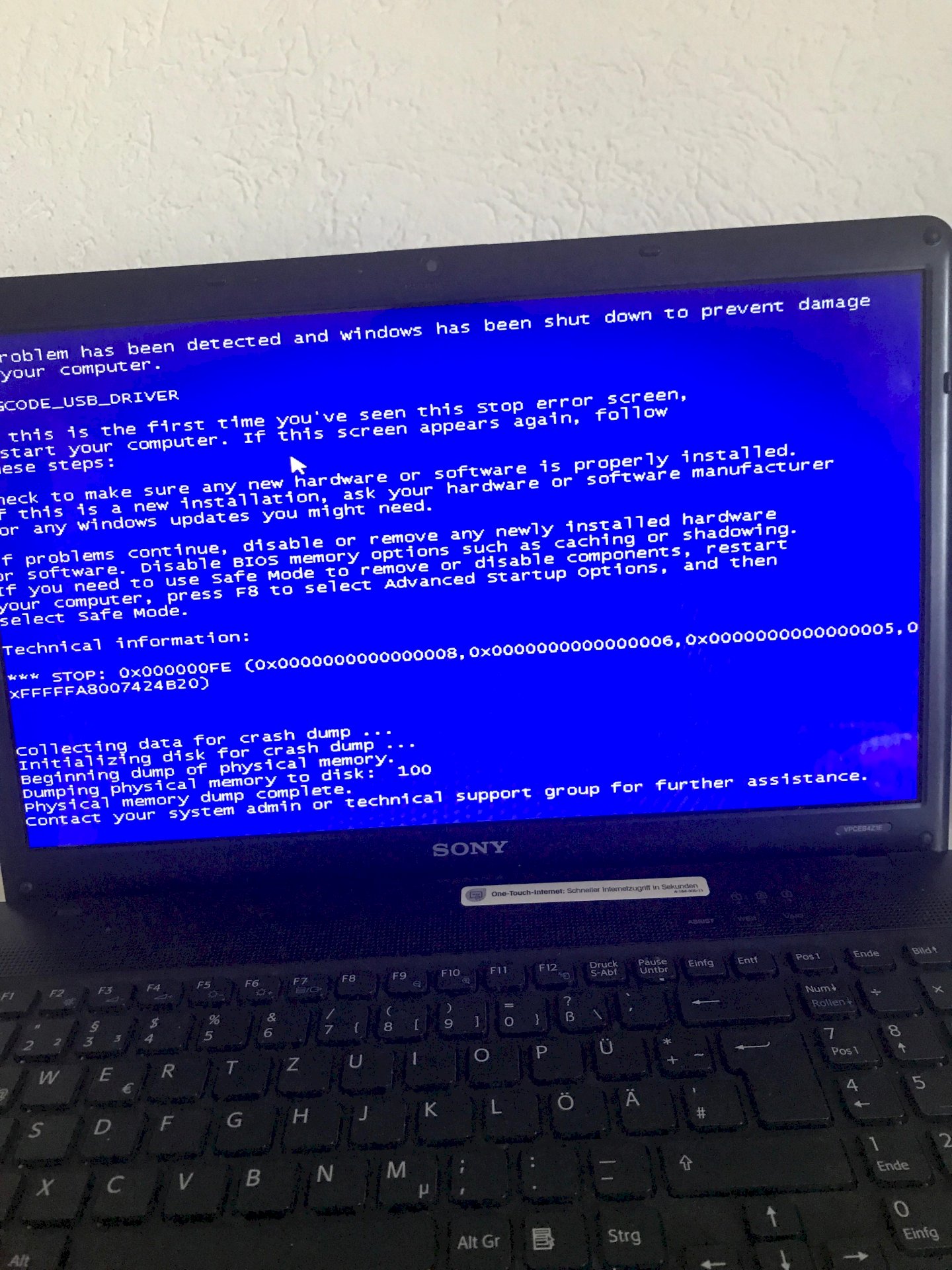
Have you ever googled what the STOP error code means? That could give you a clue. What you can see in the (unfortunately cut off) picture indicates a problem with a USB driver.
Long press the power button
Since a USB_DRIVER error message appears in the blue screen (the screenshot is unfortunately unclean → the upper left corner is a bit cut off…), it would suggest to me that there's a conflict due to a driver.
You can try to call up the Windows advanced start options by restarting the PC + spamming the F8 key and from there select Safe Mode with Networking. If Windows starts properly, go to the Device Manager and see whether there's a warning triangle in the symbol for any hardware component.
If so, you can get more information about this component from a device description and look for the right driver for it on the Internet.
If no component is highlighted where an error exists, you can try again to download and install the drivers for your notebook from the notebook manufacturer's website.


