Installing WinRAR via USB stick?
Wanted to have my WinRAR on my new PC as well as on my laptop, then I just noticed on the USB stick and copy on the new PC call is not enough. Did you hear then you need instead a program called "WinRAR Unplugged", I downloaded it to my laptop on the USB stick but what now? How do I continue?
Would not it be easier to download and install Winrar on your new PC?
Unfortunately not. Personally, I find it complicated. At that time WinRAR got it from a computer speci & wanted to have the jzt on my new PC as well. However, I'm anything but a computer speci…: /
https://www.winrar.de/downld.php
There raussuchen the appropriate version, download, start installation, follow instructions and you have already installed Winrar. Is really super simple stuff, even for a layman.
Yes, but is that also the licensed full version? Those who are just downloaded for free are then always such 30-day free trial versions with limited access.
This is an unlicensed full version. WinRAR tolerates the private use of the program to get companies to buy their products, as the workers are already familiar with it.
The free trial I use and millions of other people for many years, you do not need to buy Winrar, the free version is almost never really off.
Did you jzt faithfully downloaded it under your link but it is under the name "WinRAR (unlicensed trial version)" should i care about limited access or expire after 30 days?
You will keep full access and it will not expire. You get after 40 days of use the notification that the version has "expired". Just confirm the notification with a click on "OK" and then continue to use Winrar as if it were nothing. I do that as I said for years without problems.
As an alternative to WinRAR, I can also recommend 7zip. This is free software and can handle the formats WinRAR can:
https://7-zip.org/a/7z1900-x64.msi
Just install after downloading with a double-click.
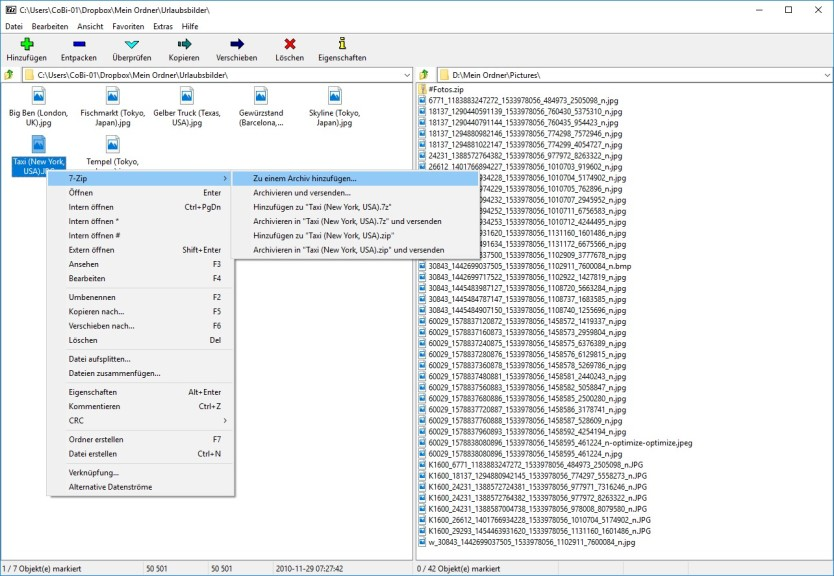
7zip looks like this:
@Solid is right, I do that too and everyone I know.


