My external storage drive can't be opened?
Sc
Scarce76
5
My external storage drive can't be opened on my laptop. I do not see that it is connected to the USB.
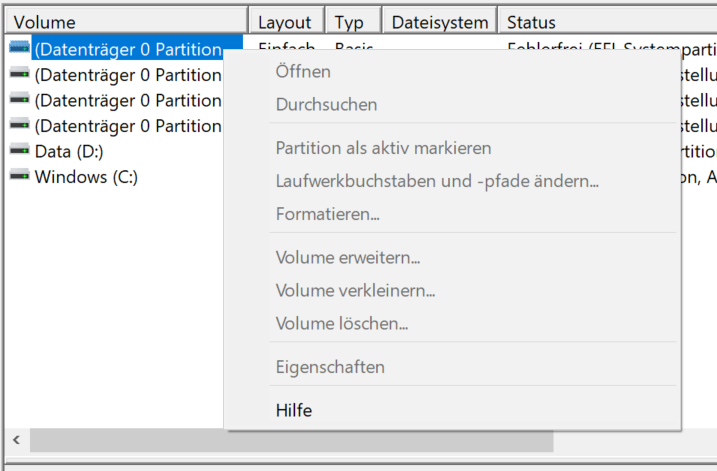
I have also tried disk management, but there's nothing I can do there (see picture).
I hope you have an idea.
Thanks in advance!
Gr
GreysonParallel
So if then it is "D: \"
And not disk 0, because that is the system disk.
co
countryDalary
But the mark is the boot partition uefi, so you should stay away from it anyway.
Sc
Scarce76
Unfortunately it is not at D: when I connect it unfortunately nothing comes, I thought that was the one I had selected, my mistake ^^
Sc
Scarce76
Good to know ^^ Thank you!
Gr
GreysonParallel
Restart your computer first.
Then you can check with the device manager (devmgmt.msc) whether and which devices have been recognized by USB.
Then you can click on it and a device status should also be displayed.


