Can't install Linux (Mint) on my laptop?
He always does a PXE check and then he boots normally in Windows XP
What can I do?
Probably something went wrong when creating the installation medium and it is not bootable in "UEFI" mode, but only in "BIOS" / "Legacy" mode.
If in doubt, make sure that the "ISO" image is UEFI bootable before downloading and burn a CD. You can install what doesn't fit on the CD afterwards.
Can't install Linux (Mint) on my laptop?
That's not a question and the question mark at the end doesn't make it any!
he always does a PXE check and then he boots normally in Windows XP
If he tries an
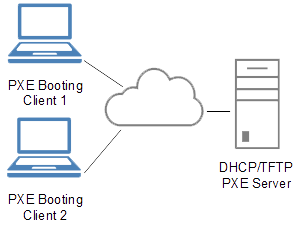
https://de.wikipedia.org/...nvironment boot it is an attempt to boot over the network.
This can mean that you have set the wrong boot device order in the BIOS or that the data medium from which you want to boot is not bootable.
Linux Hase
I only have CDs that are 700 mb in size
Dear Linux bunny,
you're level 46 here, so hopefully you've noticed that it's "?" can't remove in the title / heading (at least I can't) lol
Yes, the problem is, I set USB Hard Drive first, then USB Floppy and everything else, and then at the end the normal HDD, there's no USB stick as such or he just has Knax and does not accept the USB stick XD
Could I theoretically do this via a LAN cable if I can somehow put the file online, so on the network?
Since the ISO of Mint 19.3 already has 2.0 GB, you need a blank DVD (4.7 GB) as the installation medium.
To create a USB boot pen (Live + Installation) simply start another Mint computer, call up USB image creation, specify the path to ISO → A bootable USB pen is created.
By the way, the hard disk can be removed when booting from another medium, plugging in is possible at any time while the computer is running - SATA can. The disk is under the large bottom flap.
You can buy mint DVD's and USB pens for a small price on the German website IXSOFT. This can then be installed (without additional license costs as with the restricted operating systems).
(at least not me) lol
Then there should also be a question, so use the correct wording ;-)
There's no USB stick as such
If it is not even shown, something is very wrong.
I always recommend buying a Linux magazine, e.g. The current Linux user 01/2020, there's:
Knoppix 8.6.1 32 bit / 64 bit
ZorinOS 15 Lite 64 bit
Pardus 19.1 64 bit
XigmaNAS 64 bit
it usually works much better than USB data carriers (even if it works more slowly)
With the Knoppix you can definitely create a bootable USB stick, either with the appropriate tools or very simply with dd:
dd if = name.iso of = / dev / sdc status = progress
For example, if your stick would be recognized as / dev / sdc.
I did my "first" real Linux installation with
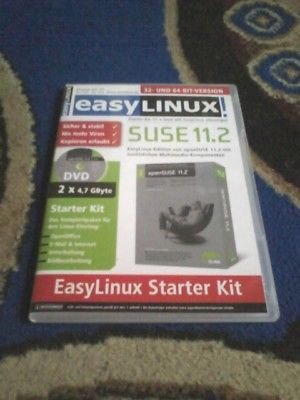
https://www.ebay.de/...3742783874 (openSUSE 10.3 back then) because I couldn't do it better in 2007. (I still have it here in my closet, as well as the openSUSE 11.1 and S.uS.E. 8)
Or you can buy a finished https://www.linux-shop.info/software/linux-mint/linux-mint-19.2-usb-stick or the https://www.linuxusbstick.de/linuxmint/linux-mint-19.3-usb-stick
Linux Hase
I notice that I still have an old CoBi lying around somewhere with linux, if necessary I also have SteamOS
This is sufficient for the installation of the "kernel", the central part, and the installation manager for extensions. It could be difficult to find a suitable ISO image.
You can install all the rest, as I said, once the system is running.


