Connect printer via W-LAN?
I bought a Canon Picma MX 490 years ago and connected it to my stand PC via cable. Now I would like to integrate the printer in the Wi-Fi network, so that I can print something from other rooms via laptop. Technically, this should be possible with the model, I have not made it yet.
The automatic search via WPS button does not work, but I can type in the network manually + password. My problem is, I do not know how to use the printer keys to write numbers and uppercase letters. Do any of you know this?
As far as I have seen, I could alternatively create a "homegroup". Is that advisable? I've tried it for interest, but my PC writes "On this PC, no Homegroup can be created".
Can someone help me?
My problem is, I do not know how to use the printer keys to write numbers and uppercase letters
Just as with an old cell phone or phone by repeatedly pressing. For example, if you want to have an A you press 1x the 1 and for a B 2x the 1
The letters are under the number
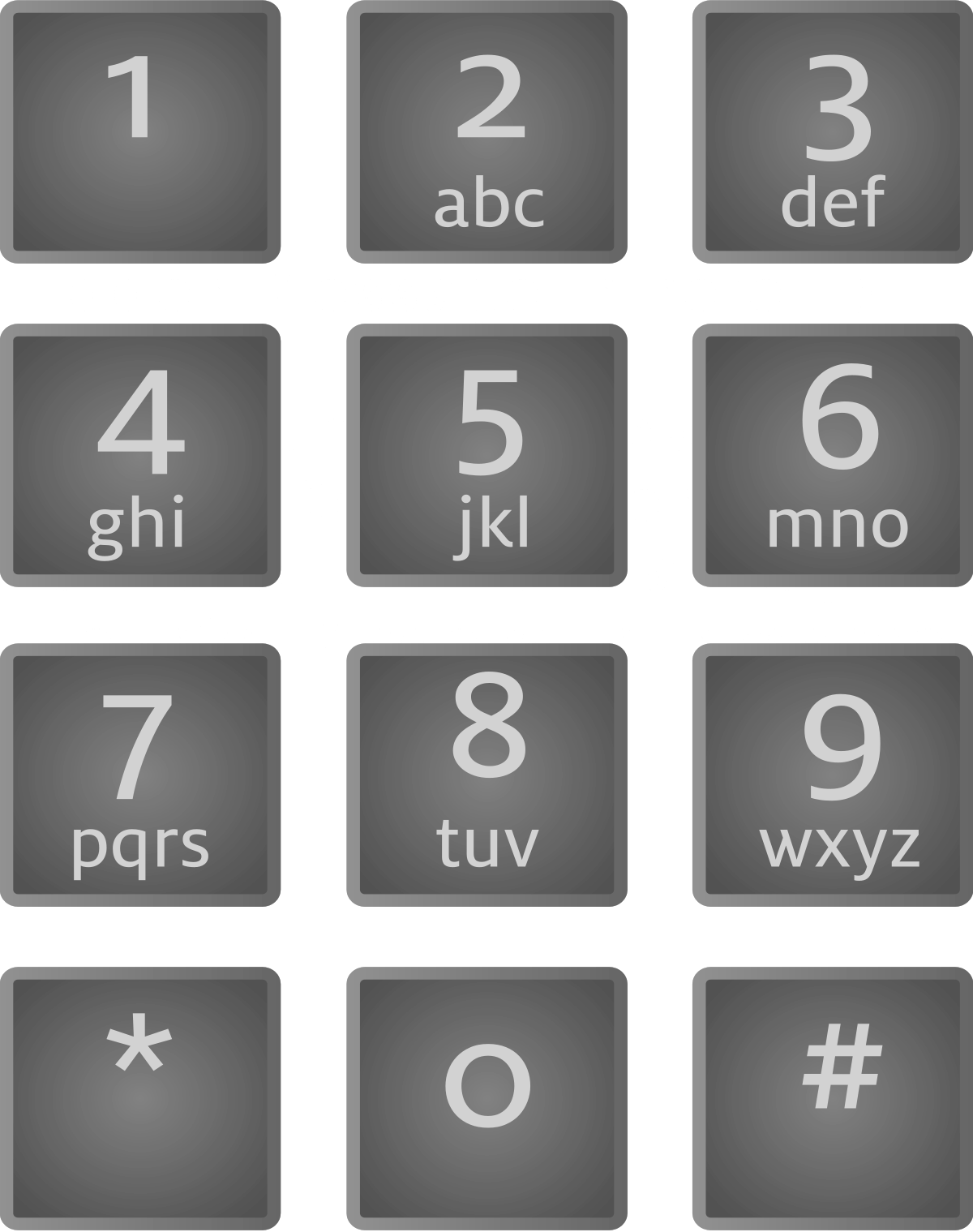
I could alternatively create a "homegroup". Is that advisable?
No.
You should read the manual, there everything is in it.:
Ihttp://gdlp01.c-wss.com/gds/6/0300018046/01/MX490ser_OnlineManual_Win_DE_V01.pdf
I can choose different letters, but not the corresponding numbers. There must be some keyboard shortcut for this: /
I have already looked at the Canon video on setup, but the methods do not work there.
Keep the button pressed
Please have a look at the manuals on the Canon support page (scroll down to the bottom), initial setup etc.
Here a link
https://www.canon.de/support/consumer_products/pixma_printer_wireless_connection_setup/
Have it found out now: using the star key you can choose between lowercase letters, capital letters and numbers.


