I adjusted the zoom on my screen (laptop)?
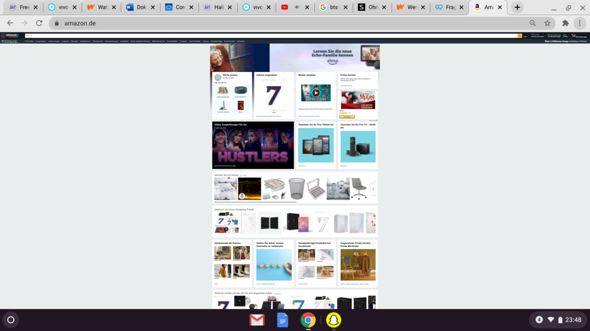
Um, yeah… Can someone help me? I pressed something and now… You can see it (I would have switched the screen back to normal zoom, please). Oh yes, please with keyboard shortcuts as this is my notebook.
Click on the magnifying glass next to the search bar where you e.g. B Type Youtube or Google. Then a small window should open where it says reset. Click on it. Or you press ctrl and - until everything is normal again.
There's a gesture on touchpads to zoom in and out.
Thank you very much ^^
The display size can be changed with the key combinations "Ctrl" & "+" and "Ctrl" & "-". The size is set to 100% with "Ctrl" & "0".
Since the browser remembers which URL you are using which size, you should change the setting on the start page of the browser. Otherwise you have to do the page you have visited.


