Connect microphone (AKG D190CS)?
When I connect the microphone to my laptop / cell phone (Samsung Galaxy A3 2017), it is only recognized as headphones and the sound output runs over it, however, sound can't be recorded with it.
What do I have to do for this to work?
Thanks in advance.
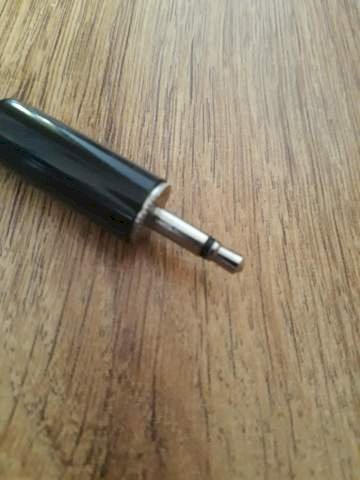
Connection ^

You have to buy a Y-cable, which divides an output between headphones and microphone
Think the polarity of your XLR cable is wrong. You need a suitable one.
Which would be suitable? Unfortunately, I don't really know anything, I got the microphone for free years ago.
Do I need an adapter to "return" it to an output (connecting my cell phone)?
No, unless you have an iphone. But both connections are probably 3.5mm jacks. And what do you mean by "lead back"?
Merge was the word I meant, if I have two jacks, don't I have to plug them in, which would require an adapter? Or is it enough if I just insert the jack that is responsible for the sound recording?
I can't tell you that by heart either. There's basically not much technology in there. You have 3 plugs on the XLR side. One is grounding, you can leave it out. The other 2 are distributed once on the tip of your jack plug, once on the long piece. Apparently it is interchanged on the inside so that it has the contact when plugging in the headphone jack. But how rum your microphone is now polarized you should have a look at the manual.
So, you have a jack on the laptop through which the output and input are. The same is true on the cell phone, a jack for both.
Since you have a jack on the microphone that is only for the input, you will have no output. Therefore you need an adapter, a so-called Y-cable, into which you plug the headphone jack and the microphone jack and therefore only one jack at the end. That would be a Y-cable https://geizhals.eu/sharkoon-pmp35-schwarz-a1522500.html?hloc=at&hloc=de&hloc=pl&hloc=uk
I know, goofy question, did you possibly get the out instead of the mic-in?
With a laptop, it could simply be that you got the wrong socket.
Otherwise, the same applies to the cell phone: You have a 4-pin jack socket, which is usually wired like this (suitable plug):
GMRL
--- # ===>
(G = ground, M = microphone, R = right audio signal, L = left audio signal)
However, your microphone looks like this for the socket:
GGGL
--- # ===>
So that works, you need a suitable adapter, e.g. This: https://www.amazon.de/...002E4V3NS/
This is a dynamic microphone and needs a lot of amplification.
Without a small USB interface, you will not get very far on the laptop. On the cell phone?
The microphone has a Tuchl plug on its side. Most interfaces have XLR. You have to take this into account accordingly with the cable


