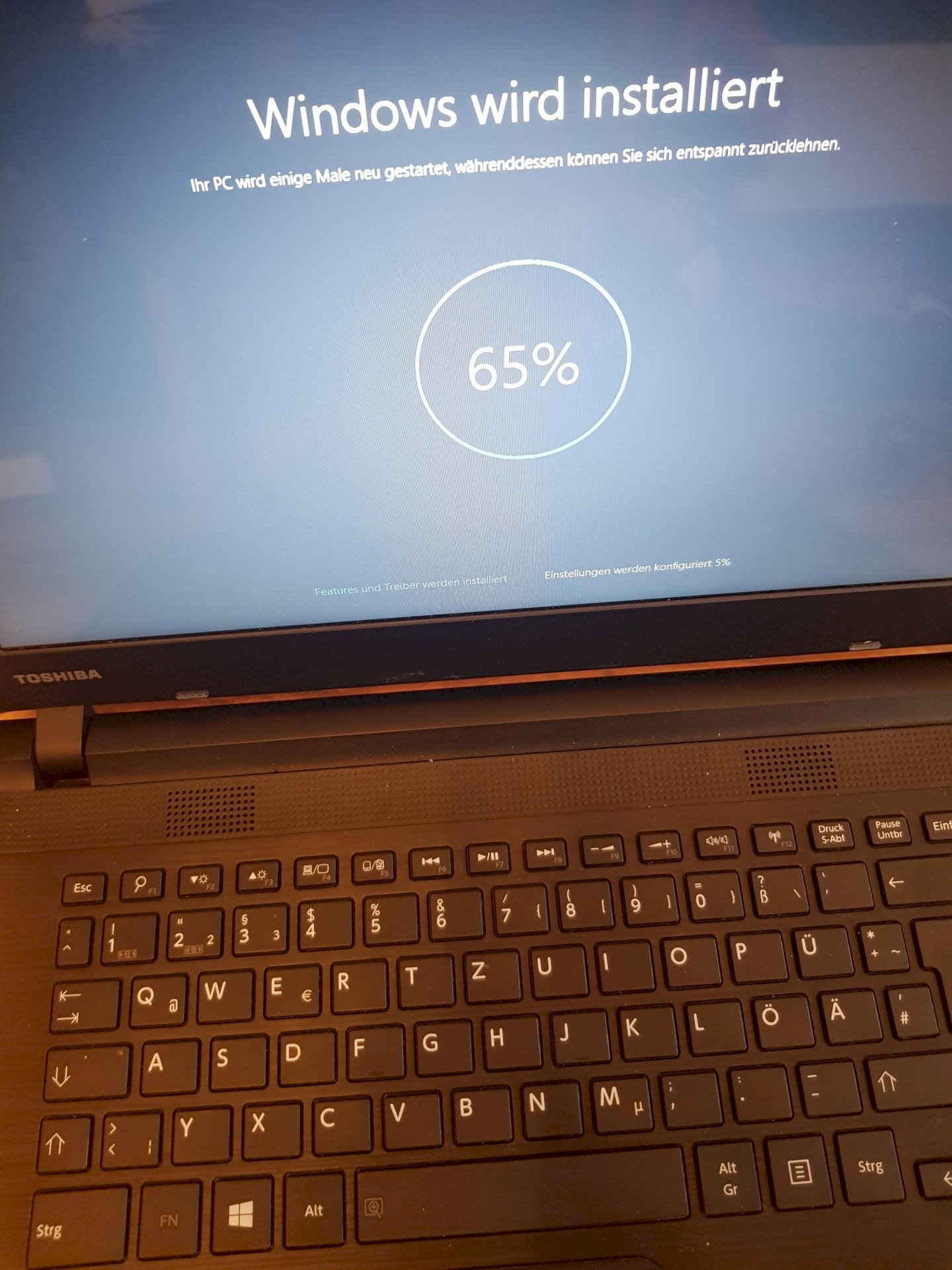
Windows will be installed. For almost 20 hours?
Now it says that Windows will be installed and that since noon yesterday.
It always starts at 64% going up to 81%. It then goes off and on again and starts again at 64%. And that for almost 20 hours.
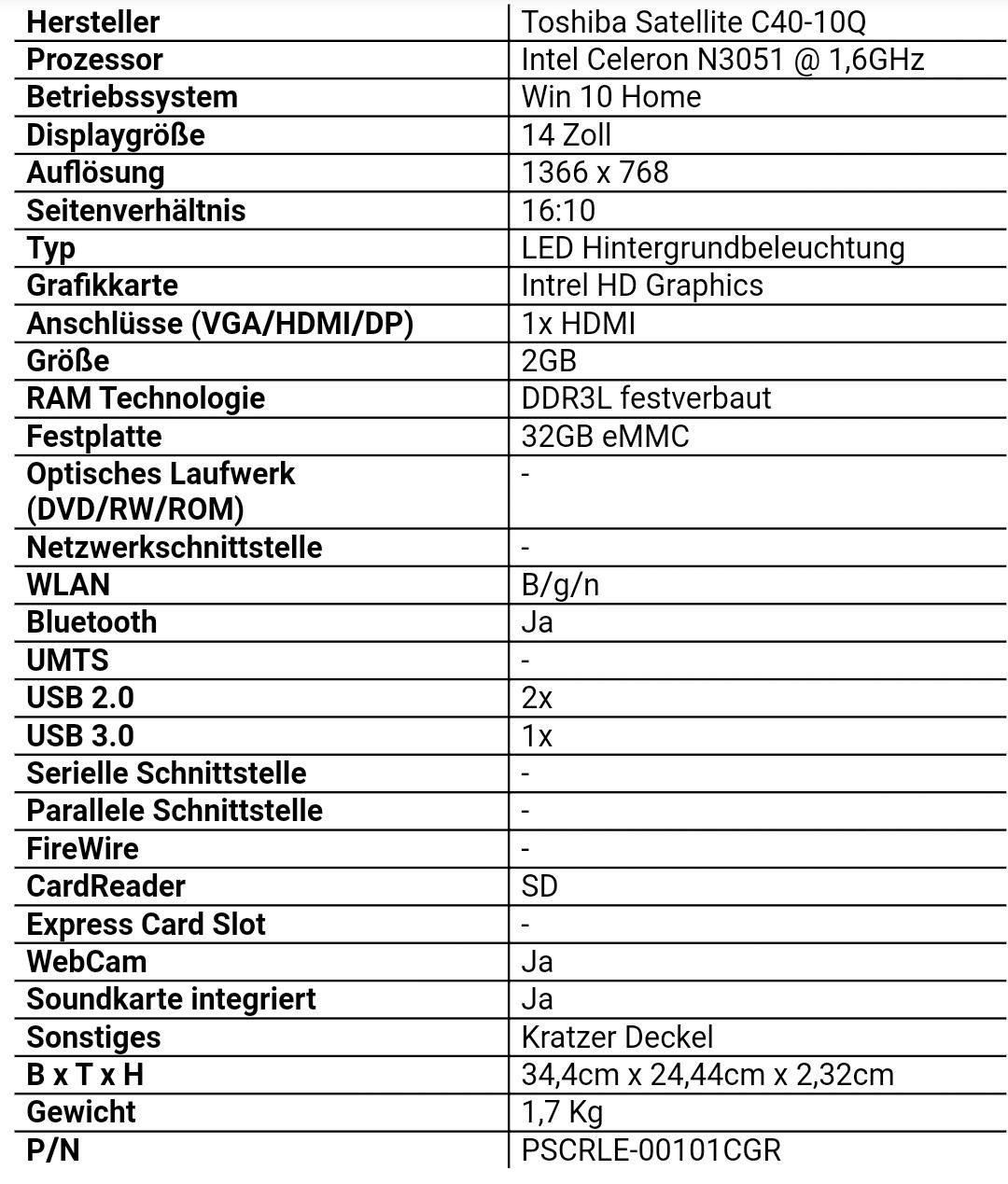
About the laptop, I don't have that much information myself anymore, bought it about 6 years ago. I found the following on the Internet. That fits, as far as I can remember. (see picture)
What can I do?
Well, most likely you wanted to reset your laptop because something went wrong. (At least that's the common scenario for something like that.)
Only: a reset is not a restart or reset. Such a thing does not fix errors but at best delete error logs that could have been analyzed.
In short: if Windows 10 was already running on it, hardware damage - if the scenario applies - can't be ruled out.
Otherwise:
Make a backup of the system data carrier (with all partitions).
https://www.google.com/...9_VWpAqTpH
Delete all partitions of the system volume from this boot process and during installation and try again.
Is the internet connection still active or has it gone into sleep mode?
Yes, I couldn't connect to the internet anymore. After hours, I gave up and just reset it 😅
Win10 home ran on it.
I only see the one screen. I couldn't connect to the internet before resetting it. So probably not
If the WLAN chip is down (which I can't tell from here) the Windows installation could get into an endless loop.
Defective hardware components can have all sorts of effects.
(Particularly "funny" is defective RAM - but that's another topic!)
Maybe the installation is waiting for a download that doesn't happen. Turn off the modem and turn it on again. Then it dials in and the connection is established again.
So I can give it to someone who has fun working on it. 😅
Thank you for your help.
Unfortunately does not work. I wanted to connect it with a LAN cable, but it doesn't have a socket for it 😀🤦🏻♀️
I'll buy an adapter today or tomorrow, then I'll try again
I do not understand that. Wi-Fi should also be reactivated in this way. However, it TAKES a few minutes. When I look at your answers, have you not waited so long?
Try the following: Connect the laptop to the Internet via LAN.
The restoration can be carried out in different ways.
Did you choose the variant via the cloud? - Then a working internet connection is important:
If a "hard disk cleanup" was selected, it can take a few hours.
For me, a simple restore, option: "Remove everything" - without hard disk cleaning - (previously carried out twice), took almost 70 minutes.
The variant with the cloud did not exist yet. - It only came with the 2004 update.
Gladly - is just a little unsatisfactory, because you can only guess from a distance with such things…
It still doesn't work 😅
Today I buy an adapter for the LAN cable.
I buy an adapter for the LAN cable and try to establish an Internet connection. Let's see if it works then.
Then turn it off: press the power button for 30 seconds.
Ok I'll do
I would borrow a patch cord from someone close to friends or relatives, because you don't know whether that is actually the problem.
Which of the options did you choose?


