No bootable device - Insert boot disk and press any key?
Hello,
I have the following problem. My laptop (an Acer Aspire E 15) no longer starts. Even after switching UEFI to legacy in the BIOS.
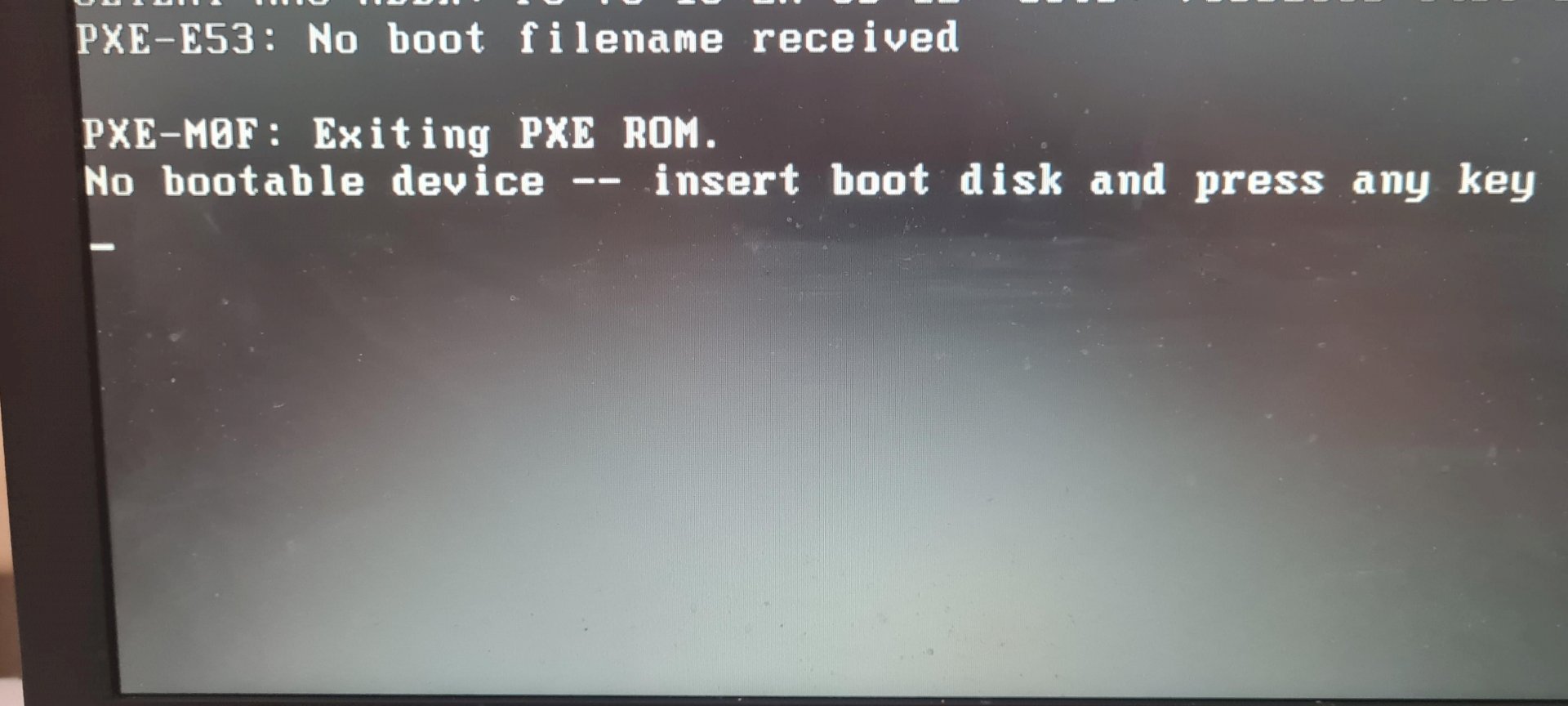
The message "No bootable device - Insert boot disk and press any key" keeps appearing
Can you help me somehow and maybe provide a solution to the problem? I'm in homeschooling right now and if my laptop were to fail, it would be very bad.
Look in the BIOS to see if an SSD / HDD is recognized at all and set the boot sequence, above all disable booting via PXE
Your operating system was installed in UEFI and not in legacy mode.
Put it back and it should actually start.
Edit: Maybe I misread the question too?
Um, I think the hard drive could have said goodbye here.
The HDD can be seen in the boot priority order. How do I turn off booting via PXE?
But even after the unsuccessful boot via PXE, the PC should query the other boot media. It's just an order.
I previously moved quite a large amount of data from the USB to the PC while it crashed or no longer responded
Why don't you mention right away that it crashed or didn't respond any more?
Now I'm all the more sure that the hard drive has gone from strength to strength here.
Well I'm not a PC God haha that means I can buy a new one?
Looks like this (PXE) that you have activated booting over LAN in UEFI / BIOS. Turn it off and put the HDD / SSD first in the boot order.
If that doesn't help and the notebook is new, Windows may not have been installed from the factory, in which case you will have to buy and install Windows yourself.
If it is an older notebook on which Windows always ran perfectly before and you still get this message, then it may be that the SSD / HDD is defective. In that case you have to check the SSD / HDD (preferably start the computer with a USB / DVD emergency Windows). You can try to repair the HDD / SSD (but if you have access you should back up the data you still need first). If access to the SSD / HDD is no longer possible, the notebook is a case for an experienced technician.
Nene.
The hard drive is normally exchangeable, easier to access with one notebook and more difficult to access with another.
Now you could use an approx. 8GB empty USB stick and download and install Windows on another PC with the Media Creation Tool.
Windows 10 Home Premium was probably installed beforehand, which you can then reactivate quite easily, or it may even activate itself automatically. You only have to indicate that you do not have a key during installation.
Thanks for the information! Well I have no idea how to do this PXE thing
Well I have a question. Could you explain how to turn this PXE thing off?
Not by heart, it is not the same on every PC… But you will surely find something in the BIOS.
PXE = network boot.
That is switched off… But still does not start: /
No option Boot over LAN or similar to be found in the UEFI / BIOS?
Turned this off and it still won't start
If that doesn't help and the notebook is new, Windows may not have been installed from the factory, in which case you will have to buy and install Windows yourself.
If it is an older notebook on which Windows always ran perfectly before and you still get this message, then it may be that the SSD / HDD is defective. In that case you have to check the SSD / HDD (preferably start the computer with a USB / DVD emergency Windows). You can try to repair the HDD / SSD (but if you have access you should back up the data you still need first). If access to the SSD / HDD is no longer possible, the notebook is a case for an experienced technician.
Okey All right! But where should I find an experienced technician right now in the Corona period?
In the Plön district I can recommend myself to you, but otherwise just try the yellow pages and search in the computer shops area.


