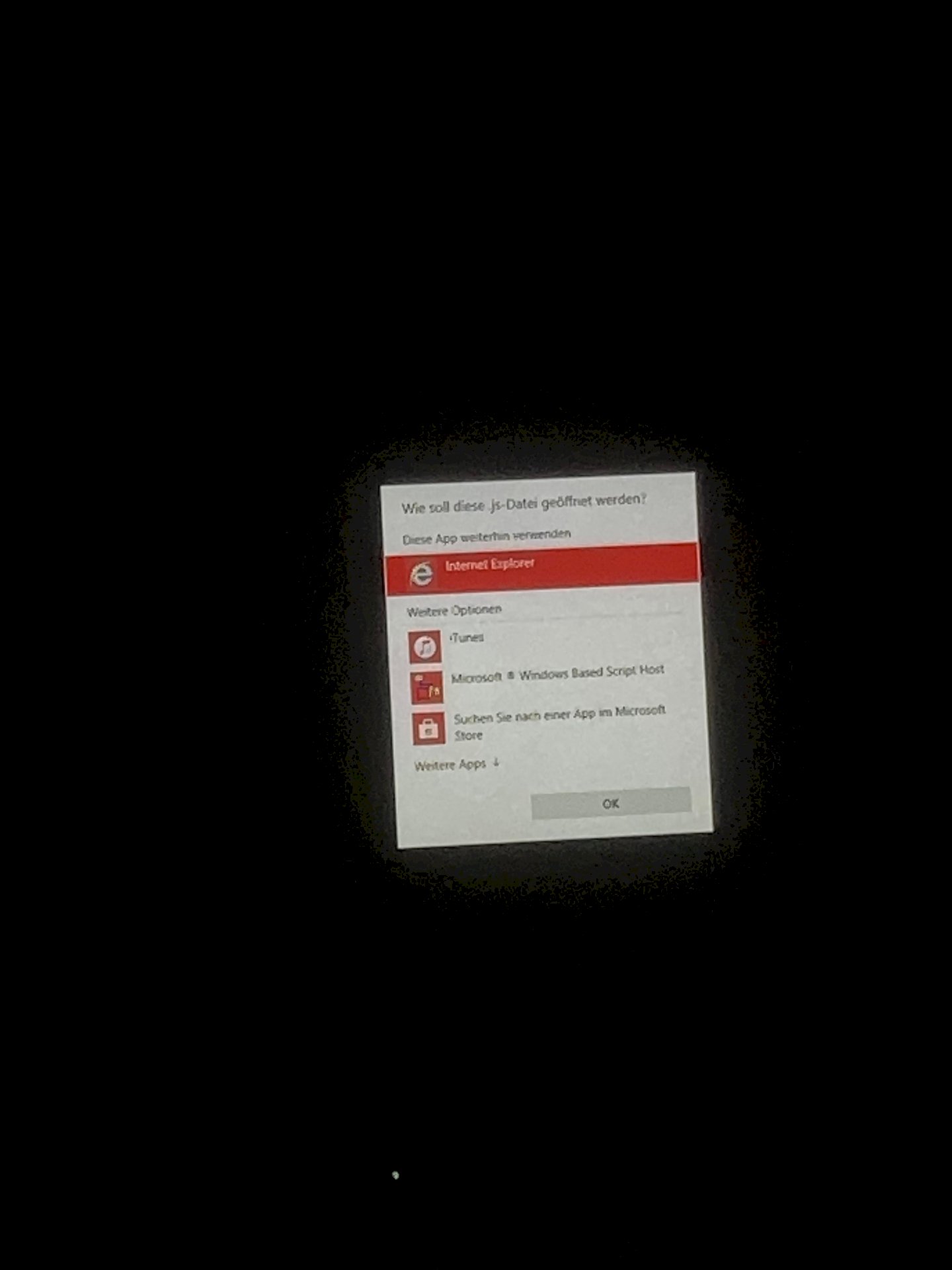
How do I remove this message on the computer?
I have a laptop with Windows 10 and every hour this message comes out of nowhere. It doesn't matter whether you're watching a video or doing something else.
What do I have to do so that this no longer appears?
Please go to the "Task Manager" (you have to right click on the taskbar and you will find the Task Manager).
Please take a look to see if this application is running in the background.
Which application should run there?
Well something related to your problem.
So my first thought was that you might have got a virus or something like that (of course I'm not sure because I don't know what's going on).
Hence the question, is the application running in the background all the time?
Other forums also say something about virus. Try to do a scan soon.
since this message comes every few minutes, I guess yes.
If you haven't installed anything important, it may be worthwhile to set up your computer again or to reset it to the factory settings.
What kind of computer do you use?
Asus notebok x751lkb i7, GeForce gtx 850m
I've been using it for a long time, so I have a lot of files on it.
have now done such an antimalware scan, but the message still comes. Is that something bad or can you ignore it?
What was the name of the software?
If this happens all the time, it will probably annoy you at some point, right?
We're happy to reset your computer to zero together if the data is not that important.


