Why can't I reset my laptop?
I wanted to reset my laptop because I'm selling it. And I clicked reset. I waited longer and now it wanted to download a Windows and I took the battery out and put it back in because I had already downloaded it and I didn't feel like waiting so long. And now that's always coming up on the screen. I ask for very quick answers. Would be very grateful to you
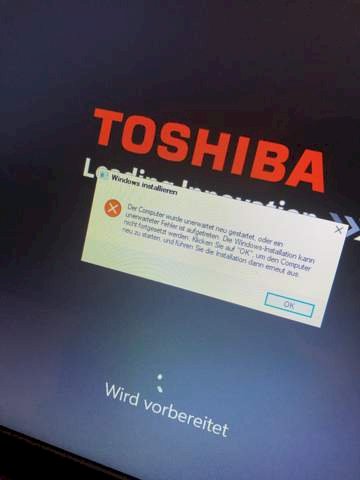
You are probably left with that. Just create a Windows installation USB stick (or DVD) on another PC using Microsoft's MediaCreation tool and then boot it on the laptop and reinstall Windows.
That sounds like a faulty windows installation. I recommend a new installation via USB stick. If you don't know how to do it here I'll explain.
download the "Media Creation Tool" from the microsoft website on another computer and open it. Choose "installation media". In the next window, check "recommended options…" and select the windows language, edition and architecture of the laptop and click on "continue", select USB memory stick and insert an EMPTY USB stick with at least 8 GB. On the next page you select the USB stick you just inserted and click on continue. Windows is now downloading. When it is finished click on "finish" and your windows 10 stick is ready. Put the stick in your laptop and start it. Now click as fast as you can (several times) the whole time F1, F2 or F8, which is the right key, is different from mainboard from mainboard. If everything works, you will get to the boot menu. (when you got to the store screen it was not the right key. Switch off your laptop and try again (press the power button for a long time)) in the boot menu you now select your stick. Windows 10 will now be reinstalled.
Media Creation Tool: https://www.microsoft.com/.../windows10
You can only reset the computer if the necessary RECOVERY files are still on the data carrier. All that is left is to reinstall Windows; unfortunately you do not write which windows was on it or is still. If e.g. A windows 10 after (free) upgrade from windows 7 is then the windows 7 'key' - hopefully you still have it. Otherwise you can also put a free ENTERPRISE test version of windows 10 on top of it and then sell the notebook like this - at least the buyer will see that it works.
This version runs for 90 days without restrictions, is activated, but then can't be converted into a licensed version.


