How do I just remove this Bluetooth mouse on Windows 10?
Ca
Cattle
1
I reset my laptop yesterday. Everything went great until recently, but then the Bluetooth mouse just failed the service. It is functional, but I could not serve it anymore.
It can't be removed in the Bluetooth menu:
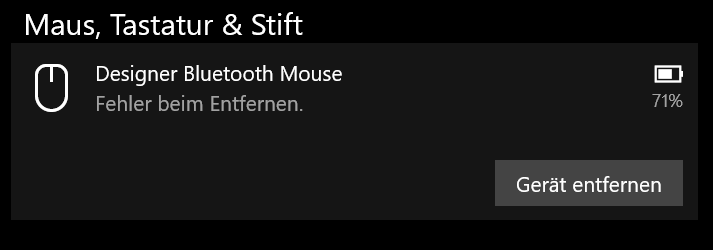
The battery indicator and also the status, you are "coupled" is also displayed when I take the batteries from the mouse. Mouse works on other devices without problems.
I updated the driver, the device does not show up in the device manager. Under Control Panel → Devices and Printers, the mouse is greyed out (whether it's on or off). A remove is also acknowledged here with an error message.
I'm slowly finished with my Latin. Does anyone have a good idea?
Ne
NeedyTuna
Vlt.Start the laptop?


