Which hard drive for the laptop?
Can you tell me from the photo which hard drive I need seems to be broken 😪
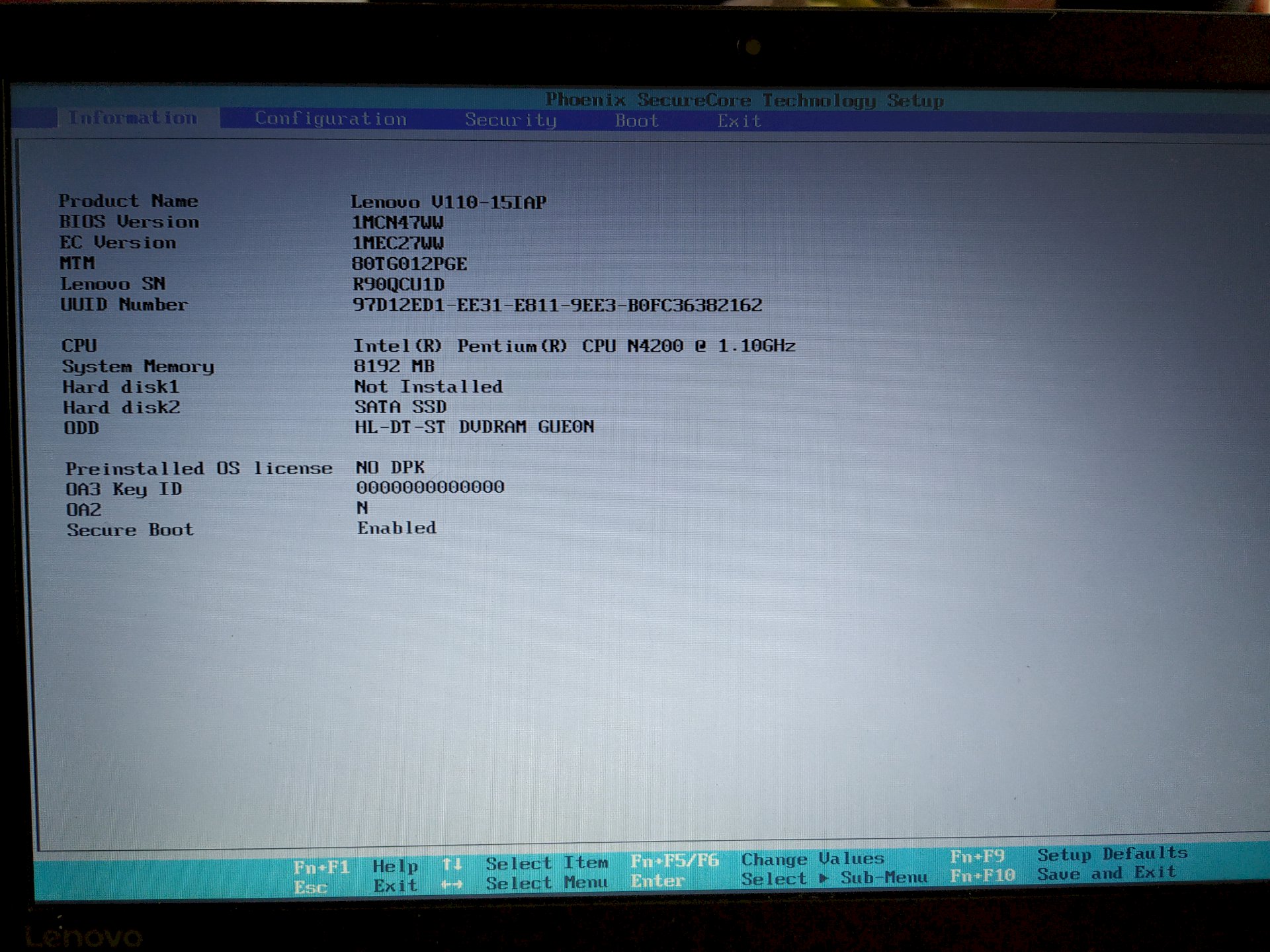
Based on your picture I take an SSD hard drive, but as 2.tes drive!
That should actually be "Hard Disk 1" If it is the operating system.
Ansosnten can just look for SSD hard drives, 2.5 inches on the Internet!
Please look in the Bios, after which order is started! The SSD should start as the first hard drive (HARDDISK 1).
Say, your hard drive does not necessarily have to be broken!
Greeting Rodi
Yes I feel weird, but I can unfortunately because of the order her nothing to change. He just does not take it 😥
Go in your picture on BOOT, because you can change the order of how to start.
Perhaps only Windows is unable to control the computer. Just boot from a Linux Mint Live DVD and call the hard drive in the Linux file manager.
The Mint Cinnamon DVD image is available for free as a full version at linuxmint.com
Possibly. Turn off the hapless Secure Boot. Mint can also be installed on the plate - just click on "Install" on the Mint Desktop. The operation is just as easy as W7. Linux is well equipped with programs, does not need a virus scanner and has everything I need on board.
The following problem: Your 1st hard drive connection is empty (or the hard drive in this is defect).
In your 2nd hard drive port is a hard drive plugged.
Question meinersets: How many hard disks do you have installed (To determine if the 1st place is really empty.)
If the space is empty, you can set in the bios that you want to boot from your 2nd slot. It takes only 5 minutes for an IT person, a bit longer for inexperienced ones.
Is Windows started or does the "Windows Logo" appear? How is the error expressed?
What do I do now or what should I push where 🙈🙈
It is only the original hard drive da.sonst was never connected anything…


