Laptop does not go to standby when closing, but only if connected to external monitor or power supply?
Is that possible with a Windows laptop? For example when connected via HMDI. Or not only if it is connected to the power supply?
I know how to turn off that he goes into standby when switching on. But then he does not do that automatically when you're on the move, so the battery is drained faster.
I do not quite understand your question but you can make the laptop when you connect a monitor or TV. He then does not go into standby, but then you can't use the dual monitor features of Windows
In the power options of Windows, you can set what should happen when you close the laptop. This can be selected separately for the battery and the mains operation. (Picture taken from Win7 but the other versions of Windows have the same setting.)
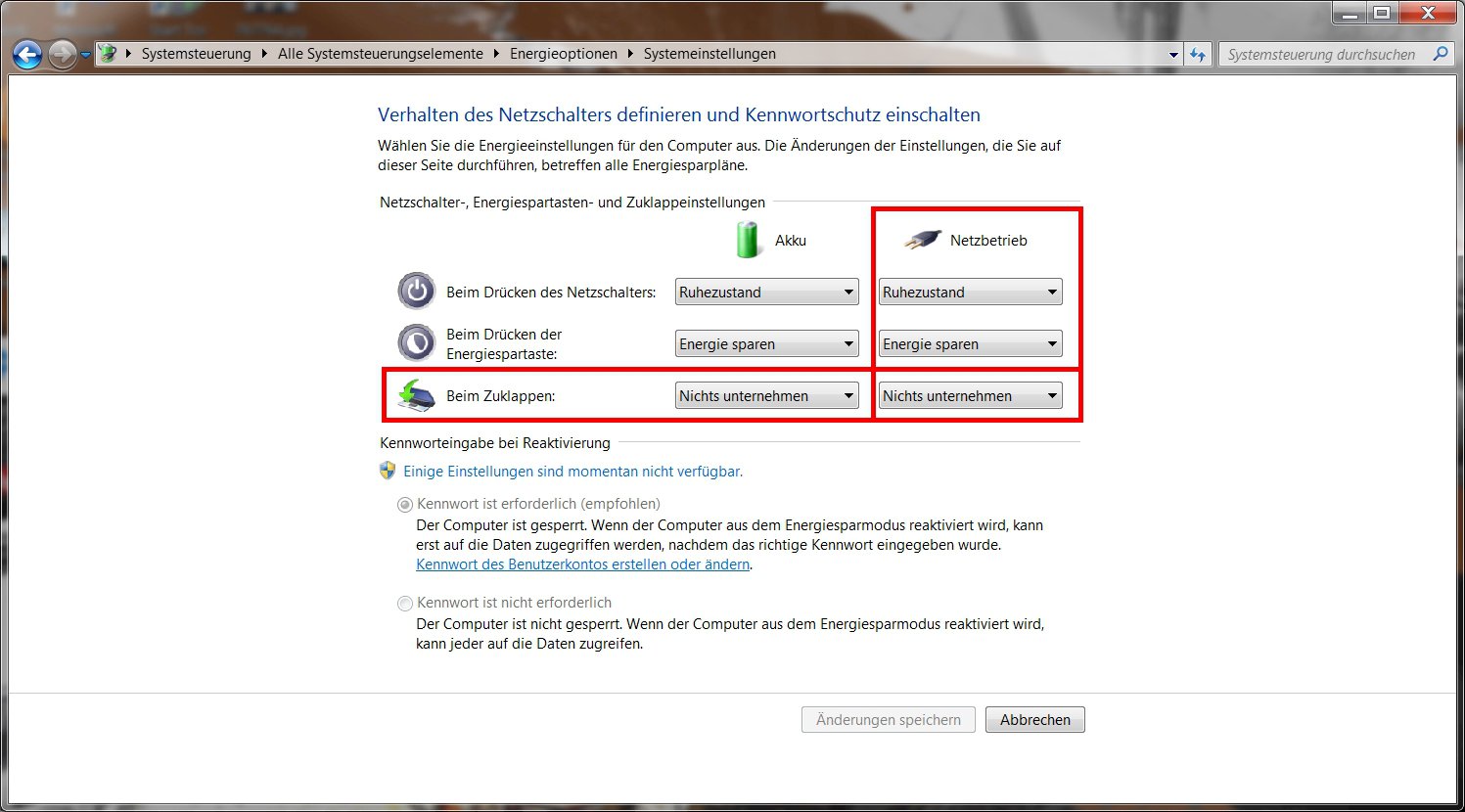
A setting that should not go to standby shutdown when connected to an external monitor is not?
Anyway, I'm not aware of such an attitude.
I also wish this attitude. Apparently, they are only available in conjunction with docking stations.
Can you explain how and with which docking stations this works?
I myself have not had any experience with docking stations, but from what I've heard, the keyboard, mouse, and monitor are plugged into the station, pushing a collapsed laptop in (laptop and docking station must match, and everyone cooks here several own soup), and then has something that can be used like a stationary PC.
The docking stations I know, also take the charge of the power supply, so again apply the settings that I have already written in the answer above.
The advantage is only that you do not have to connect each gantzen the cable individually on the laptop, but they are only once connected to the docking stations.


