Where's the hard drive?
The laptop shows a black picture!
So I want to remove the hard drive and put a new one in. Do you know where the hard drive is?
Thank you for your answers
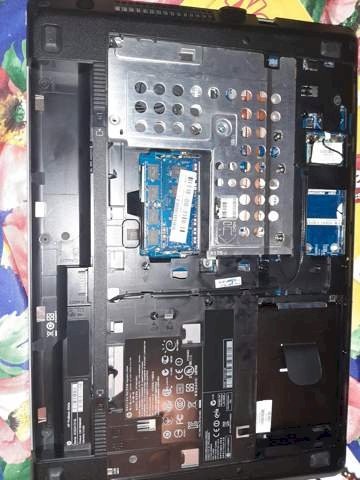
Bottom right under the slide
I would first check if the graphics card is broken. With older laptops / computers, the small battery on the mainboard can also be empty, which may have to be replaced.
Huh! It's like saying, "I'm suddenly blind so I need new pants!"
The hard drive should be on the right under the black cover where the tab stands up. The fact that the laptop does not output an image is almost certainly not due to the hard drive.
Then what do you think of
The hard drive is most likely under the black tab. I would not see that as the reason that you only have a black picture. I would rather type on the graphics card.
This could either be due to the BIOS, to Windows itself (if it is damaged and can't boot) or the graphics card could be defective.
Okay thanks


