Laptop does not come into the BIOS, what to do?
I wanted to install Linux (Kali Linux) and after the update my laptop restarted, which was stupid about it, I had the wrong hard drive in the boot order at the top (don't ask why, it was kind of a stupid mistake on my part), now I'm getting into it BIOS and the operating system no longer boots, what should I do?
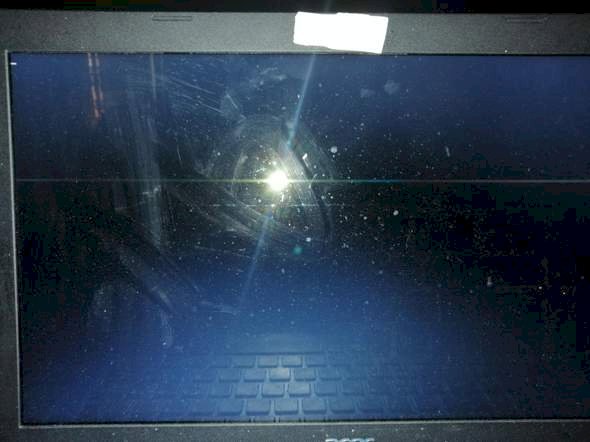
As can be seen in the picture, you only see a white line that appears constantly on the screen, nothing else…
Reset BIOS (remove CMOS battery and wait about 3 minutes, then reinsert), then the boot sequence is standard again
Which laptop is that exactly?
Acer Aspire 3 A315-51-52SQ
The solution can be found on https://de.answers.acer.com/app/answers/detail/a_id/34102.
Try "F12", should work, if the boot menu was set to "enable" in the BIOS, then select the correct HDD.
Disconnect the hard drive and the BIOS opens.
Badly soldered. ☝️
The battery will hardly be soldered. At most, built in so that you have to take out the whole mainboard.
The stitch already shows that something was started by the BIOS / EFI, but an error has occurred.
How did you get into the BIOS for installation, that is, before?
It may also be necessary to press the Fn key (bottom left) with the F2 key, if available.
I'm irritated by Kali Linux, otherwise only specialists use it.
Normal with F2, normally worked, but since the Kali Linux installation it doesn't work anymore
I did that now, but it doesn't work: /
Then maybe the battery is empty? They last a maximum of 5 years. Try to exchange them. If that doesn't work, I would check whether everything is installed correctly, e.g. RAM bars on laptops like to slide out if they are not soldered.
If you can exclude the BIOS, loose contact and the screen, then maybe that's because of the mainboard.
I hope you can do it and it's just the empty battery or a loose cable.
Or download the ultimate boot CD. It should start, even if the BIOS and hard drive are broken.
The laptop was made in September 2017 or so and I find it very strange that the BIOS no longer works after the Kali Linux installation…: /
Unfortunately, the laptop does not have a CD drive
This is also possible with a USB stick. With "Rufus" (available on chip) you can "burn" the ultimate boot CD to a USB stick.
Yes, but I can't change the boot order, I can't enter the BIOS and the boot menu can't be opened somehow, I stupidly put GRUB on top of the boot order, but I deleted it and now I only have it this minimalist GRUB bash cmd or so
UBCD can also "repair" the BIOS. If this doesn't start at all, then the hardware is more likely to be defective, probably the mainboard
The question is, how should I start the program at all, it always loads into this GRUB bash
Ok I came in the boot manager now, apparently I just had to enter exit in the GRUB. I'm relieved to God


