How do I set the monitor to 75hz?
Following question:
I own a AOC G2460V with 75hz. Unfortunately I can't use this frequency.
Why is that?
The monitor is connected to my notebook with a HDMI Ultra.
CPU: 0I5 7200u
RAM: 8G
GPU: Intel HD 620+ (AMD Radeon R7 m340)
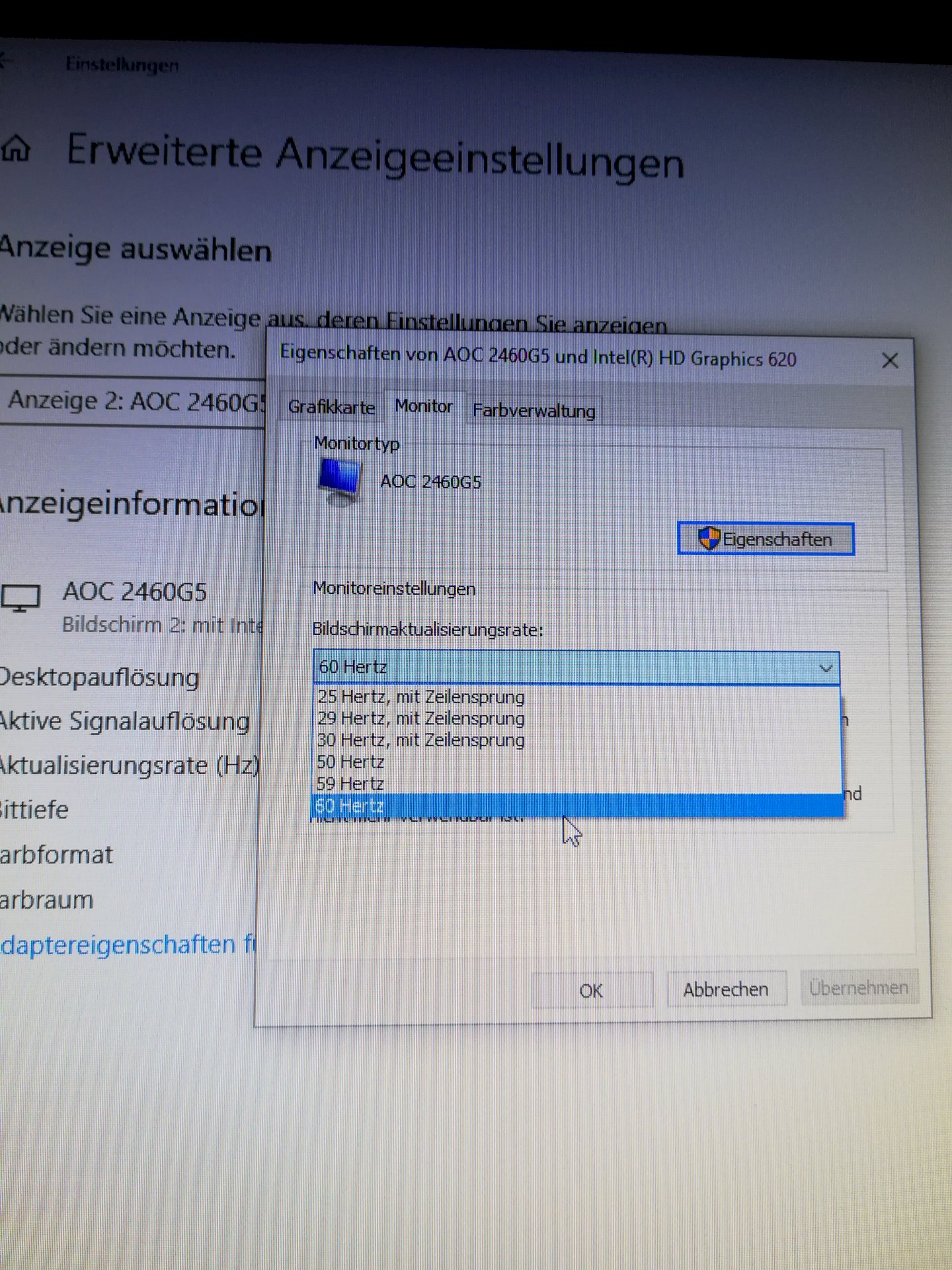
One knows to my knowledge no higher frequency than 60Hz in the Intel driver to select, whether in-game is possible (then the Radeon map should be active).
I can also select only 60hz in games.
Times this in the Radeon setting to change?
And / or sometimes about the Intel graphics setting to change.
Try right-clicking on the desktop Display Settings → Advanced Display Settings → Adapter Properties → List All Modes
There you can be sure that all available modes are listed. If there are no 75Hz available, your notebook may not have HDMI-Ultra output. Also with HDMI connections there are different models or generations.
I checked. You're right. My notebook only supports 1080p with 60hz.
My Radeon card only turns on in games. I have already looked after and have found that my HDMI Beech only 1920: 1080 with 60hz can give again.
Because 1.4?
That's a pity.
Ahh well then my question is superfluous above.


