I can't install Windows on my laptop?
I found an old laptop and wanted to install Windows Vista directly. However, no drivers are found.
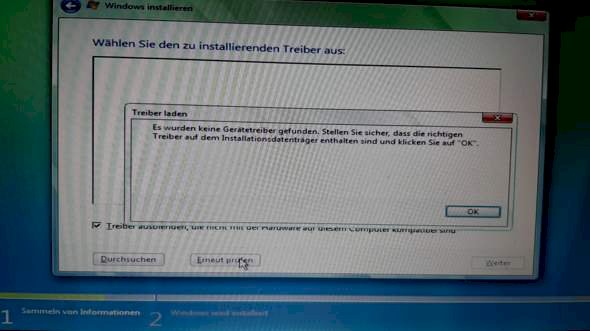
What can I do there?
Install Windows Vista directly
Not a good idea - this OS is more than 10 years old.
If no driver can be found, you have not necessarily done something wrong. What did you choose for the hard drive? Does this laptop have one at all?
How old is the laptop? Do you have a driver CD?
I don't have a driver CD and the laptop is 10 years old. It has a 500GB hard drive.
Yes, those were the days when we had to bring every driver to the installation.
do you know what he's looking for, which driver? Must be something important hard drive controller or mainboard or something.
What is there for a laptop?
"I have a laptop from 2010 … With a screen on it and a 500GB hard drive… Achso is from Samsung".
OK. Sequentially.
Turn the device (please switch it off and close it) on the back and look for the type plate. The nameplate contains the PN and SN of the device (not! The Vista license key). If you don't find anything: check the battery compartment.
Without this information, unfortunately, you can't really be helped.
What is missing here is the SATA / AHCI driver.
This is a Samsung R730 and it is looking for a mass storage driver.
Mass storage = hard disk controller
that's important, he can't find a plate, otherwise he wouldn't ask
I'm just going to search
Okay thank you But I see the hard drive.
Yes, but there are special drivers for the controller
i find drivers at samsung, but for windows 7, vista is not represented
win 7 should have been preinstalled
I'll give you the link where you can get it
have to press current update below
It is no longer worth installing Windows Vista on it because there's no longer any support for it. In addition, current web browser versions no longer run under Windows Vista.
But I can recommend installing PrimeOS on it. This is a customized Android operating system that is designed to operate the keyboard and mouse. It has a start menu and a taskbar. You can run multiple apps side by side. Here is the download: https://www.saturn.de/...01947.html You need the standard version.
After downloading the ISO, you have to use the Rufus https://rufus.ie/ tool to write it to an empty formatted USB stick. Then you have a bootable USB stick
If you can't boot from USB, you have to burn the ISO to a blank DVD with this tool http://www.freeisoburner.com/.
Then boot the stick or the burned DVD and follow the instructions of the installer. Simply restart after installation. Take out DVD and stick. When the desktop appears, you can switch to German in the Android settings. The Google Play Store is there. All you have to do is log in with your Google account.
PrimeOS runs smoothly even on 10 year old devices. Even if you only have 2GB RAM. Printing is also possible if you have a wireless printer. Then all you have to do is install the printer manufacturer's print app.
Here is a video of how PrimeOS looks and how to install it:
All right, I'm installing Windows 7 and downloading the drivers. Can I simply do this with the drivers via my USB stick?
Okay thank you I look at that.
Here's another tip: If the standard version is not running, you have to take the classic version.
Sorry wrong download link. That is the right one: https://primeos.in/


