Questions about the Macbook MACOS?
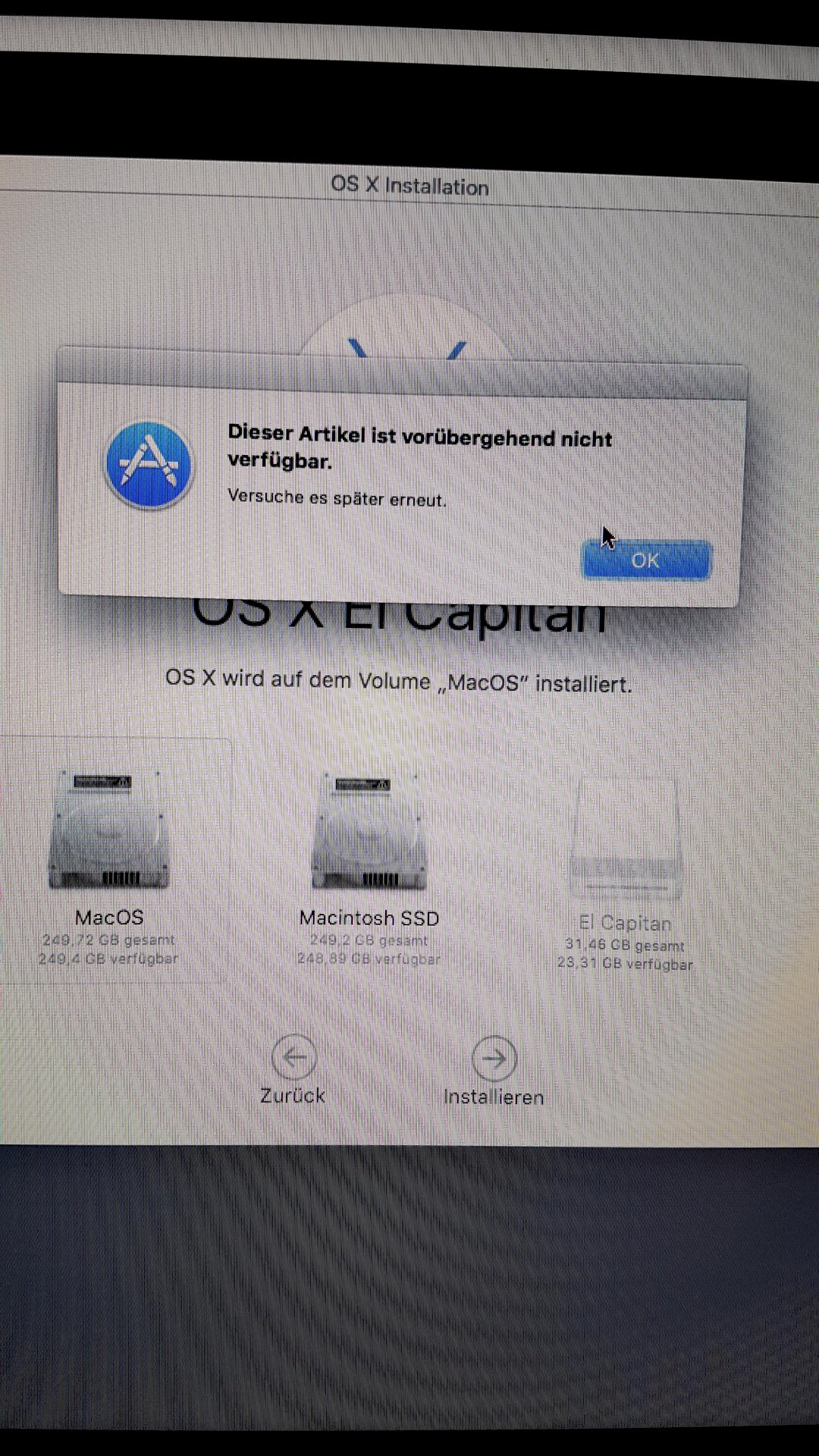
Hey guys, I bought a Macbook from ebay classifieds, but I can't install it on el capitan because it's not available in the app store… See picture, how can I make a usb stick with el capitan without buying it?
I would like to create a bootable el capitan usb stick for macos via Windows… But how? Download Dmg and transfer it to the usb stick via transmac but haha how should something like that start?
Any help please?
In addition, the laptop still has a dvd in the drive and does not go out… Do not eject, etc.
Briefly in advance: It is NOT possible to make a macOS stick bootable under Windows. If so, you would need a virtual machine, which is illegal on a Windows machine. You need another Mac to create it, be it with a buddy etc.
You can try again at startup with Cmd + R and erase the hard drive again in the hard drive utility. Important: Macintosh HD, MacOS extendet journaled, Guid partition table.
Ok thank you I should have guessed fuuuck
Read my last sentence, I added something. And what Mac is it? Then you can still try the Internet recovery.
It probably didn't work for this questioner, but theoretically it should work.
(I'm just realizing that there's nothing new for you. But who knows.)
===============================================
In addition, the laptop still has a dvd in the drive and does not go out… Do not eject, etc.
https://support.apple.com/...6b0645/mac
You can restart your computer to eject a CD / DVD: choose Apple> Restart, click Restart, and then hold down the mouse button or trackpad button as it reboots until the CD / DVD ejects. You can also hold down the Option key while restarting your Mac. When the CD or DVD appears on the screen, select it and press the eject button.
===============================================
Is there a system on it at the moment? Which one
===============================================
how should something like that start?
Connect, start, immediately after switching on the power switch, press and hold the ALT key. If it works, a selection of bootable volumes will be displayed. Select stick, continue.


