Help with the partitions Windows 10?
Hello,
after resetting my laptop MSI GE73VR7RF Raider
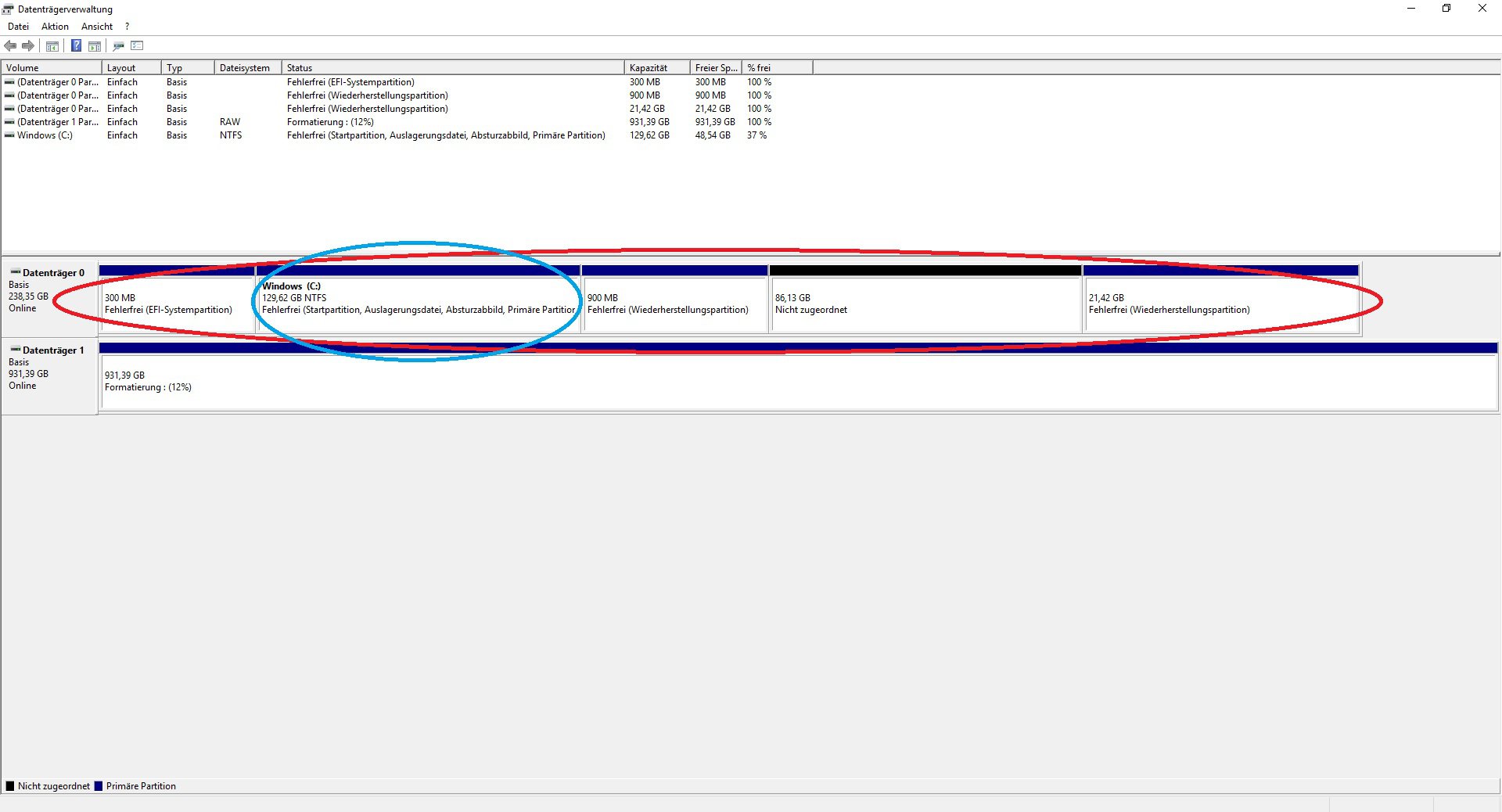
were somehow splitted the disk, in the disk 1, I could still format it and put together, but where Windows is on it, on the SSD, which are still so split. Can someone help me make it right again the SSD with the Windows has 256 GB…
Looks normal Windows makes itself.
Can you make everything flatten and then reinstall Windows.
The main thing you do not have 2 M2SSD installed then it gets a bit hairy. The then run in the dual boot.
I have Windows on a Usb and from there I formatted my laptop.
How do I find the information with the m2ssd
There's a miracle program… EaseUS Partion Master 10.1
This allows you to enlarge / change partitions without data loss.
If C: Greater, then D: click. Click on Zoom out. Use the slide arrow to the left to shrink the partition.
Then on C: click and demensprechend with the right push arrow the freed space to enlarge.
Then click on "execute instructions"
Only then does something happen. Do not touch the PC anymore.
You would see that when installing 2 128gb partitions.
Did you clone Windows from the hard drive to the SSD? - Because, how is the 21.42 GB recovery partition, which probably contains a recover, on the SSD?
My proposition:
Delete all partitions * on the SSD with the installation media * and then reinstall Win10 on the "unallocated space" of the SSD Win10.
Then the right order is made on the SSD.
*) See the following video tutorial from minute 5: 0 to minute 6: 30 …


