Windows desktop doesn't start?
The laptop (Compaq CQ-58) has been causing problems since today. Played Windows 10 yesterday and today the desktop no longer starts. Unfortunately, I can only insert pictures here, but the taskbar pulsates.
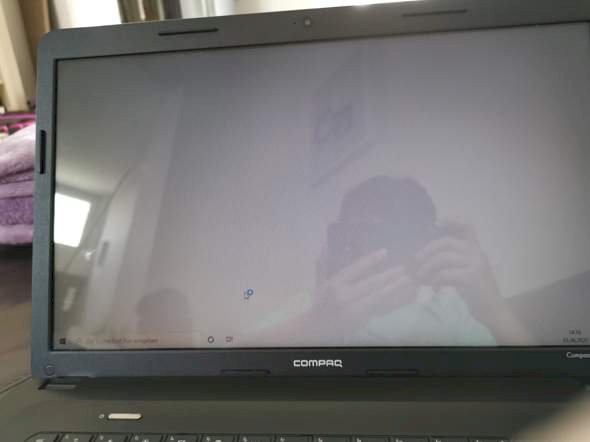
If the operating system was reinstalled yesterday, then simply reinstall it today.
Should be easier and faster than troubleshooting.
Updated from Windows 8 to 10 yesterday, but no longer have the old Windows key. Can I still switch back to 8 and then back to 10?
Did Windows 10 run yesterday and was activated? If so, then you simply install a virgin Windows 10. The activation is then carried out automatically by a digital license
So, I installed yesterday via the Windows 10 Update Assistant, which shouldn't work anymore. I never had a Windows 10 key. I also wonder how to reinstall it if the desktop doesn't even appear. And yes, it ran after several hours of installation.
Yes, you can return within 30 days of the upgrade.
It has such an upgrade. That's why I said "virgin installation" and asked about activation.
Installation takes place, as always, via boot medium (USB stick is recommended) on which the Windows 10 ISO is unpacked.
So simply hard reset and then drag Windows from another computer onto a stick using the update wizard and install it on the laptop, that's how I imagine it (I've never done it before). Am I right there and how many memories should the stick have?
LG and thanks for your detailed answers
There's no hard reset on a PC.
https://www.microsoft.com/.../windows10
Download the tool, have the stick created.
No idea… I think 8 GB should be enough, but then the tool tells you.
You have of course already backed up data. A complete new installation (including deleting existing partitions) means data is gone. But data backup should also be done before the upgrade.
I didn't do it, but luckily there were probably no important ones on it. Then just drag the tool onto the stick, start it up and plug it in?
Yo And also tell the laptop to boot from the USB stick. May have to be changed in the BIOS.
Okay, thank you again. So then simply boot from the stick as described here (https://tipps.computerbild.de/hardware/komponenten/uefi-boot-usb-starten-sie-ihren-computer-von-einem-usb-stick-604215.html) and then the laptop does the rest?
Yes, it should work that way. If the laptop has UEFI. If not, it is a little different, but the boat order can also be found there.
Yes, perfect, at the end a really last question from me: How can I find out whether the computer is 32 or 64 bit, since you have to enter it in the tool.
You have 64bit. 32bit is rather extinct.
To be on the safe side, you can try to enter a "control" (without quotation marks) in the input line below on the desktop and then confirm with Enter.
Then you choose system.
Our system type will then list a 64bit.


